

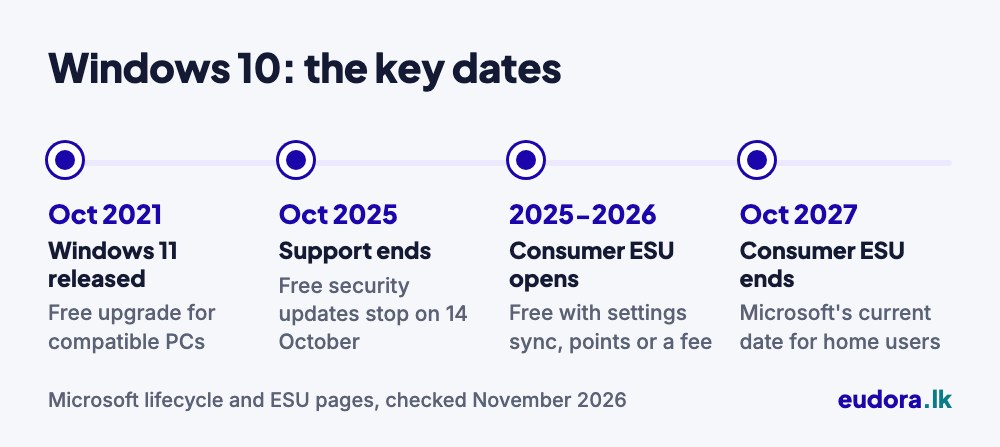
Microsoft stopped releasing free security updates for Windows 10 on 14 October 2025. A year on, many homes and offices in Sri Lanka still run it, often on laptops that work perfectly well. The computer has not stopped working, but every month without updates leaves known security holes open. This guide explains how risky that is, how to check whether your PC can move to Windows 11, how to get extended updates, and when it makes more sense to upgrade parts or buy a new machine.
Key points
- Windows 10 support ended on 14 October 2025. The PC keeps working but stops getting free security fixes.
- Home users can enrol in Extended Security Updates (ESU) free by syncing settings with a Microsoft account, or with Rewards points or a one-off fee. Microsoft now lists the consumer programme as running to 12 October 2027.
- Windows 11 needs TPM 2.0, Secure Boot and a supported processor, which rules out many PCs from before about 2018.
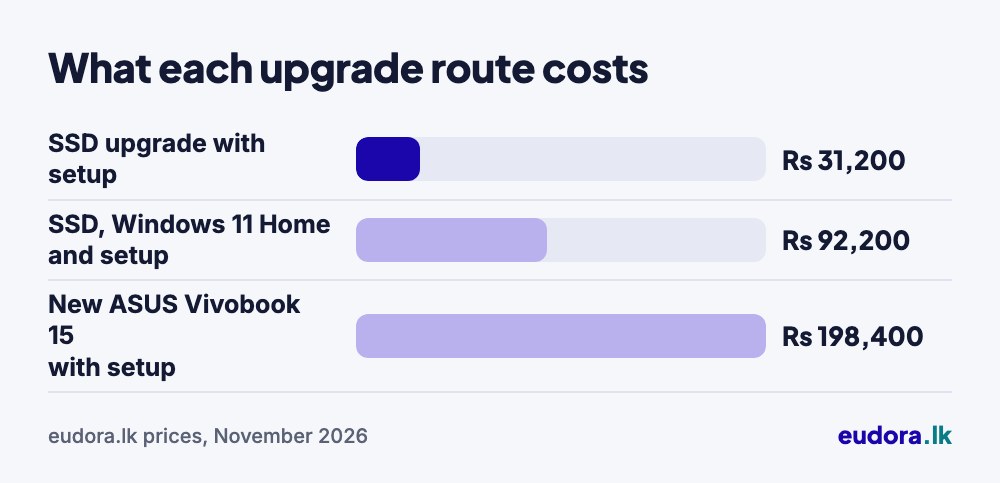
- An SSD upgrade from Rs 31,200 with setup can make an older compatible PC feel new; a new entry laptop starts at Rs 194,900.
What end of support really means
When Microsoft ends support for a version of Windows, three things stop: security updates, feature updates and technical help from Microsoft. Your files, programs and settings stay exactly as they were. Nothing switches off on a particular date.
The problem builds slowly. Attackers study every security update Microsoft releases for Windows 11, because many of the same flaws exist in Windows 10. Once a fix is public and Windows 10 does not receive it, the hole is both known and open. Over months, the list of unpatched weaknesses grows. Web browsers and antivirus programs still update for a while, which helps, but they cannot fix flaws in Windows itself.
For a home PC used for browsing and YouTube the risk rises gradually. For a shop or office PC that handles online banking, customer data or the accounts package, it is a much bigger concern, and some banks and software vendors stop supporting unsupported systems altogether.
Step one: can your PC run Windows 11?
Windows 11 has stricter hardware requirements than Windows 10. The quickest check is the PC Health Check app from Microsoft, or Settings, Windows Update, which shows a message if your PC is eligible for the free upgrade.
| Requirement | Windows 11 minimum | How to check on Windows 10 |
|---|---|---|
| Processor | Supported 64-bit CPU, roughly Intel 8th generation or AMD Ryzen 2000 series and newer | Settings, System, About |
| Memory | 4GB RAM (8GB recommended in practice) | Settings, System, About |
| Storage | 64GB or more | File Explorer, This PC |
| Security chip | TPM 2.0 | Press Windows+R, type tpm.msc |
| Firmware | UEFI with Secure Boot capable | Press Windows+R, type msinfo32 |
Many PCs bought from 2019 onwards pass. Some fail only because TPM or Secure Boot is switched off in the BIOS settings, which a technician can enable in a few minutes. PCs with older processors usually cannot be upgraded in a supported way. Tools exist to force Windows 11 onto unsupported hardware, but Microsoft does not guarantee updates on those machines, so we do not recommend it for business use.
Option two: extended security updates for home users
For the first time, Microsoft offered consumers a paid way to keep receiving Windows 10 security fixes, and then made it free in most cases. According to Microsoft’s ESU page, a home user can enrol in one of three ways: by syncing PC settings to a Microsoft account with Windows Backup at no extra cost, by redeeming 1,000 Microsoft Rewards points, or with a one-off purchase of USD 30 plus tax. One enrolment covers up to 10 devices signed in with the same Microsoft account.
- Update to Windows 10 version 22H2. ESU only works on the final version. Check in Settings, System, About.
- Sign in with a Microsoft account. A local account cannot enrol.
- Open Windows Update. Look for the “Enrol now” link for Extended Security Updates.
- Choose the free option by turning on Windows Backup settings sync, unless you prefer points or the fee.
- Keep installing updates every month as before.
Note: The consumer programme is for personal use. Businesses need the commercial ESU programme, which is priced per device and rises each year, or should plan to move to Windows 11.
ESU buys time, not a long-term solution. It only covers critical and important security fixes, with no new features, and Microsoft’s dates for the consumer programme have already changed once. Use the extra time to plan the move rather than to forget about it.
Option three: upgrade the parts that matter
If your PC meets the Windows 11 requirements but feels slow, the hard drive is usually the culprit, not the processor. Swapping a mechanical hard drive for a solid-state drive (SSD) is the single most noticeable upgrade for an older laptop or desktop: start-up, opening programs and Windows updates all speed up dramatically. Our guide to SSDs and hard drives explains why.
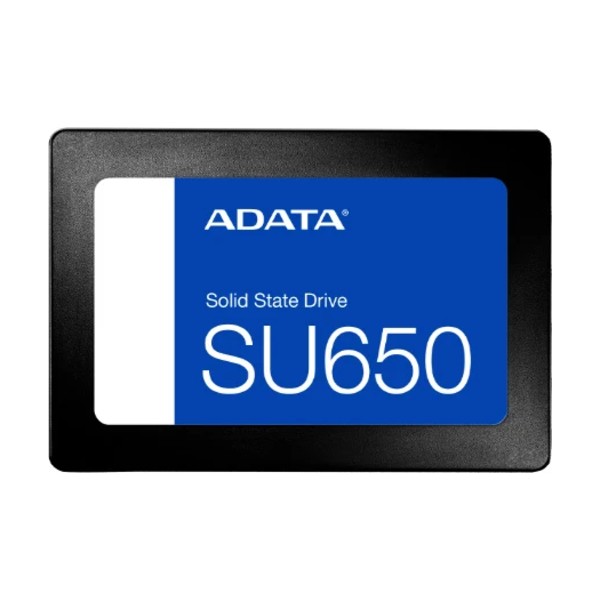
A 512GB SATA SSD with our setup service, which includes copying or reinstalling Windows, comes to Rs 31,200. If the PC came with Windows 10 Home and you need a fresh Windows 11 licence as well, a typical bundle of licence, SSD and setup is Rs 92,200. Newer laptops with an M.2 slot can take a faster NVMe drive instead.
Before buying parts, it is worth checking the battery and the cooling fan as well. A laptop that overheats or runs for only an hour on battery may need a new battery or a fan clean, which we can quote for at the same time. Combining jobs in one visit keeps labour costs down and means the machine is only out of action once.
Memory is the other common bottleneck. Windows 11 runs on 4GB but is much more comfortable with 8GB or more, especially with a modern web browser. Many laptops have soldered memory, so check before buying.
Option four: replace the computer
A PC that cannot run Windows 11 and is more than six or seven years old is usually not worth upgrading further. Battery, keyboard and screen wear add up, and the cost of parts and labour can approach a new entry-level laptop.
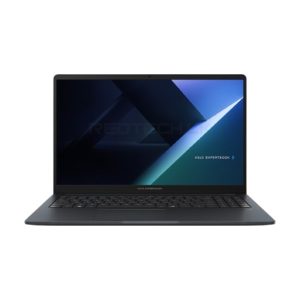
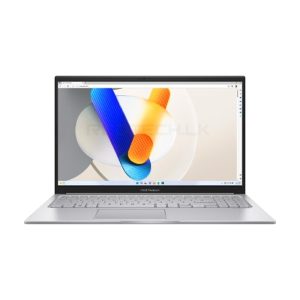
Our laptop buying guide covers how to choose. For most home and office work, look for an SSD of 512GB, 8GB of memory as a minimum and 16GB if you can, and a recent Intel Core or AMD Ryzen processor. If you are replacing several office machines, for example five ASUS ExpertBook laptops at Rs 219,000 each come to Rs 1,095,000, before setup.
Which option suits you?
| Your situation | Sensible choice | Why |
|---|---|---|
| PC passes the Windows 11 check and runs well | Upgrade to Windows 11 free | No cost, full support for years |
| PC passes but feels slow | SSD upgrade, then Windows 11 | Low cost, large speed gain |
| PC fails the check, home use only | Enrol in ESU and plan a replacement | Stays protected while you save |
| PC fails the check, used for business | Replace | Consumer ESU does not cover business use |
| PC is over seven years old with battery or screen problems | Replace | Repairs approach the cost of a new laptop |
Before you upgrade or replace: back up first
Whichever route you choose, copy your files somewhere safe first. Upgrades usually keep files, but failed updates, drive swaps and new laptops all carry some risk. An external hard drive is the simplest option for a home PC, and our post on the 3-2-1 backup rule explains how businesses should keep copies.
- Documents, Desktop, Pictures and Downloads folders
- Browser bookmarks and saved passwords (export or sync them)
- Accounts package data files and licence keys
- Email data files if you use Outlook with a local data file
- Product keys for software you will need to reinstall
Antivirus matters more than ever on a Windows 10 PC enrolled in ESU or waiting to be replaced. A current product such as ESET or Kaspersky adds protection Windows Defender alone may not give on an older system.
If you would like us to check your PCs, run the upgrade or set up a new laptop, our IT support team can do it in Kandy or remotely, and we can help a small office plan the change over a few months rather than all at once.
Frequently asked questions
Will my Windows 10 PC stop working?
No. It keeps working with all your programs and files. It simply stops receiving free security updates unless you enrol in Extended Security Updates.
Is the Windows 11 upgrade still free?
Yes, for PCs with a genuine Windows 10 licence that meet the Windows 11 hardware requirements. Check in Windows Update or with the PC Health Check app.
Can I keep using Windows 10 safely with antivirus?
Antivirus helps, but it cannot fix security flaws in Windows itself. Enrol in ESU for home use, and plan to move to Windows 11 or a new PC.
Does the free ESU option work for my shop or office?
No. The consumer programme is for personal use. Businesses need commercial ESU, which is paid per device, or should upgrade.
Will my old printer and accounting software work on Windows 11?
Most do, but check with the manufacturer before upgrading, especially for older printers, scanners and locally installed accounting packages.
This article was originally published on eudora.lk.
