

Google Cloud is the strongest pick when your work is data-heavy, container-shaped or model-shaped. BigQuery remains the easiest serious analytics warehouse to start with, Google Kubernetes Engine is the most mature managed Kubernetes on the market, and the discount structure gives you money back without negotiation. It is the third largest provider, and that shows up as fewer regions than AWS and a smaller pool of experienced engineers to hire from.
The share gap has been narrowing fast, which changes the risk calculation. Here is what the platform is good at, where it is weak, and how to decide whether it fits a specific workload rather than a strategy slide.
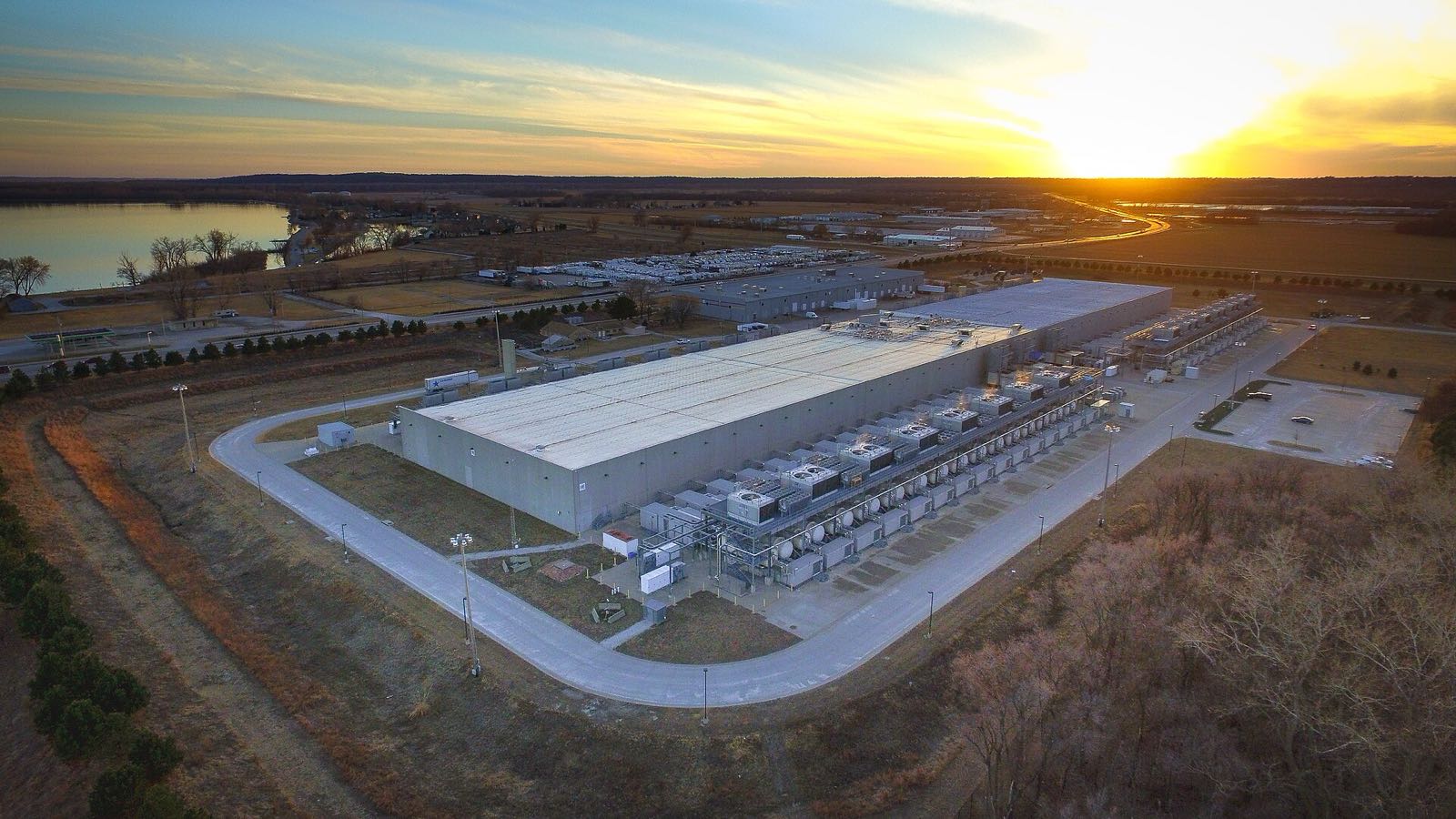
Where Google Cloud earns its place
Three things stand out in practice. BigQuery lets a small team query terabytes without running a cluster, and the separation of storage and compute means an idle warehouse costs almost nothing. GKE has had years longer in production than its rivals, and the operational details — upgrade channels, autoscaling, node repair — show that age in a good way. And the networking is genuinely strong, which matters when you serve users from several continents.
Momentum is the other argument. Alphabet reported that Google Cloud revenue grew 82% year on year in the quarter to 30 June 2026, with cloud backlog of $514 billion. CRN, working from Synergy Research data, put Google Cloud at 15% of the $143 billion global cloud infrastructure market that quarter, up from 13% a year earlier, while AWS slipped from 30% to 28%.
Why does share matter to a buyer? Because it drives the things you depend on without noticing: how quickly third-party tools add support, how many engineers have used the platform before, and how long a service stays supported.
The honest drawbacks
Region coverage is the first real limitation. Google publishes 43 regions and 130 zones, which is strong but still behind AWS and Azure on country count. If your data has to stay inside a specific country, check the list before you design anything.
- Product churn: Google’s reputation for retiring services makes architects cautious, and that caution is reasonable even where the cloud products themselves are stable.
- Hiring: fewer engineers list Google Cloud experience than AWS, which raises the cost of operating an estate in some markets.
- Windows and licensing: an estate built around Microsoft server products usually has an easier commercial path on Azure.
- Support pricing: serious response-time commitments sit behind paid plans, so include them in any comparison.
None of these makes it the wrong platform. They are the trade-offs you accept in exchange for the data and container tooling, and they are much easier to accept when you have written them down before the migration rather than discovered them after.
The services most projects end up using
The catalogue is long. The shortlist that covers most real projects is short.
| Need | Google Cloud service | Closest AWS equivalent | Why you would choose it |
|---|---|---|---|
| Virtual machines | Compute Engine | Amazon EC2 | Custom machine types let you size CPU and memory independently |
| Kubernetes | Google Kubernetes Engine | Amazon EKS | The most mature managed Kubernetes, with autopilot mode for small teams |
| Analytics warehouse | BigQuery | Amazon Redshift | No cluster to manage and storage billed separately from queries |
| Object storage | Cloud Storage | Amazon S3 | Single global namespace with straightforward storage classes |
| Containers without servers | Cloud Run | AWS Fargate | Scales to zero, which suits low-traffic internal tools |
| Managed relational database | Cloud SQL, AlloyDB | Amazon RDS, Aurora | AlloyDB targets PostgreSQL workloads that outgrow Cloud SQL |
| Models and inference | Vertex AI | Amazon Bedrock | Access to the Gemini family alongside open models |

Regions, zones and what the SLA pays for
Google’s locations page states 43 regions and 130 zones, and notes that regions consist of three or more zones, with a handful of exceptions. That zone depth is what the availability commitment rests on. The Compute Engine SLA promises at least 99.99% monthly uptime for instances in multiple zones, 99.9% for a single instance outside the memory-optimised family, and 99.99% for load balancing.
| Deployment | Monthly uptime commitment | Allowed downtime per 30-day month | What it needs from you |
|---|---|---|---|
| Single instance, standard family | 99.9% | 43m 12s | One VM, one zone |
| Single instance, memory-optimised | 99.95% | 21m 36s | One VM, one zone |
| Instances across multiple zones | 99.99% | 4m 19s | Two or more VMs in different zones, behind a load balancer |
| Load balancing | 99.99% | 4m 19s | A managed load balancer in the path |
The pattern holds across every provider, as we set out in our comparisons of Oracle Cloud and Alibaba Cloud: the better number is bought with architecture, not with a signature. Two zones and a load balancer is the cheapest reliability upgrade available anywhere.
Pricing: discounts you get without asking
Google’s discount model is friendlier than most because part of it is automatic. Sustained use discounts apply to resources used for more than a quarter of a billing month and reach up to 30% net for a VM that runs the whole month, with no commitment and no paperwork. Committed use discounts go further — up to 55% for most machine series and up to 70% for memory-optimised — in exchange for a one or three-year commitment.
Two caveats worth knowing. Sustained use discounts only apply to self-serve billing accounts and do not stack on top of committed use discounts. And a three-year commitment on a workload you may re-architect in eighteen months is a false economy — commit to the baseline you are confident about and leave the rest flexible.
Choosing between Google Cloud and the other two
Strip away the marketing and the decision usually resolves on four questions. Where do you need regions? What does your existing licensing push you towards? What shape is the workload: data, containers, Windows applications, or general servers? And which platform can your team operate when something breaks at an inconvenient hour?
Google Cloud
Strong on analytics, containers and networking, with automatic discounts.
- BigQuery and GKE are category leaders
- Sustained use discounts need no commitment
- Custom machine types reduce waste
- Fewer countries covered than AWS or Azure
- Smaller hiring pool outside tech hubs
AWS
The default choice, with the deepest ecosystem and the most documentation.
- Most regions and services
- Largest pool of experienced engineers
- Savings Plans up to 72% on EC2 instance commitments
- Complex pricing surface
- Share slipped from 30% to 28% year on year
Microsoft Azure
Hard to beat when you already buy Windows Server, SQL Server and Microsoft 365.
- Licensing advantages for existing Microsoft customers
- Strong hybrid and identity integration
- Portal and service naming take adjustment
- Regional capacity varies by service
If you are weighing providers outside this trio, our Alibaba and Huawei comparison covers the two largest Chinese platforms and the procurement questions they raise.
A sensible first project
Do not start with a migration. Start with a workload that proves the platform without risking the business. An analytics pilot is ideal: push a copy of your transactional data into BigQuery, build the three reports your managers keep asking for by hand, and measure what it costs for a month. You will learn the billing model, the identity model and the support experience in one small project.
- Create a separate project and set a budget alert at a number you would be comfortable paying twice.
- Load one month of real data, not a sample, so the query costs are representative.
- Give two people access with least-privilege roles and review what they actually needed.
- Build the reports, then leave them running for four weeks and read the bill carefully.
- Write down what surprised you. That list is your migration risk register.
Eudora Technology delivers this work remotely, wherever your team sits. Our cloud solutions work covers assessment, build and ongoing operation on Google Cloud, and we will say plainly when another platform is the better answer.

Frequently asked questions
Is Google Cloud cheaper than AWS?
Sometimes, and not for the reason people expect. List prices are broadly comparable; the difference comes from sustained use discounts applying automatically and from custom machine types letting you avoid paying for memory you do not use. Model your own workload with and without commitments before deciding.
Will Google retire a service we depend on?
It has retired consumer products often enough to earn the reputation, and enterprise cloud services have a published deprecation policy with notice periods. Reduce the risk the same way you would anywhere: prefer managed versions of open-source software, keep your build in code, and avoid single-vendor dependencies for anything core.
Do we need Kubernetes to use Google Cloud well?
No. Cloud Run handles container workloads without any cluster management and scales to zero, which suits internal tools and low-traffic services. Compute Engine runs ordinary virtual machines. Choose Kubernetes when you have enough services that orchestration saves more time than it costs.
How many zones do we need for production?
Two, in different zones of the same region, behind a managed load balancer. That is what moves the Compute Engine commitment from 99.9% to 99.99% — in practical terms from about 43 minutes of permitted monthly downtime to about four. Add a second region only when your business case genuinely requires it.
Thinking about a Google Cloud pilot or a migration with a real deadline? Get in touch with Eudora Technology to talk about your project.


.jpg)

.jpg)