“Cloud native” appears in software brochures, job adverts and vendor presentations, usually alongside words like Kubernetes, microservices and DevOps. It can sound like something only for banks and large technology companies. In reality the idea is simple, and parts of it already shape the tools many Sri Lankan businesses use every day: online accounting, Microsoft 365, booking systems, delivery apps and online stores. Understanding what cloud native means helps you choose better software, ask better questions of developers and avoid paying for a server in a cupboard that a cloud service could replace. This guide explains the idea without jargon and shows which parts are useful for a shop, office or growing online business.
Key points
- Cloud native means building and running software to make full use of cloud services: automated, easy to scale and quick to recover.
- It is different from simply moving an old server to the cloud, which keeps the same limitations.
- Most small businesses benefit from cloud native software by choosing good SaaS products, not by building their own.
- Businesses with their own websites, apps or online stores can adopt cloud native habits gradually: managed hosting, automatic backups, containers and monitoring.
- A reliable office internet connection and power backup matter more once your tools live in the cloud.
Cloud native in one sentence
Cloud native software is designed from the start to run on cloud platforms, using the cloud’s ability to add capacity in minutes, replace failed parts automatically and update without downtime. Instead of one large program on one carefully looked-after server, a cloud native system is made of smaller pieces that can be started, stopped, copied and updated independently, usually packaged in containers and managed by automation.
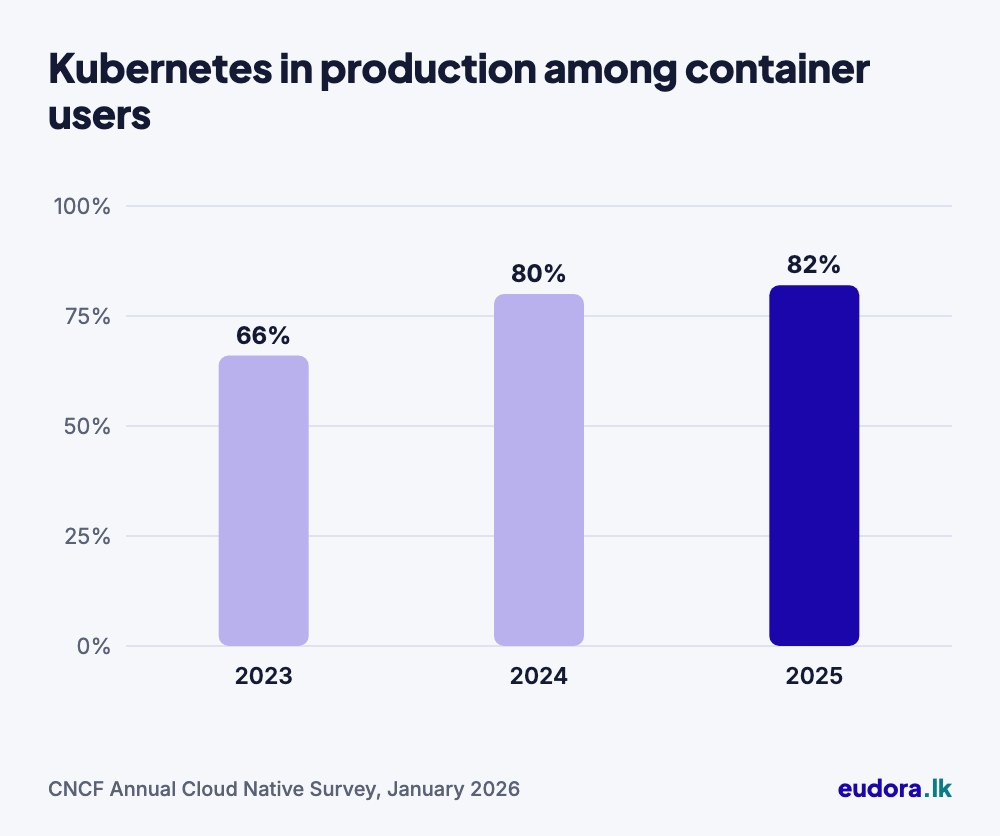
The Cloud Native Computing Foundation (CNCF), which looks after Kubernetes and many related projects, publishes an annual survey of how organisations use these tools. Its survey published in January 2026 found that 82 percent of organisations using containers run Kubernetes in production, up from 66 percent in 2023. That is mostly large and mid-sized companies, but the software small businesses buy is increasingly built the same way.
Cloud native versus simply “in the cloud”
| Traditional server | Server moved to the cloud | Cloud native | |
|---|---|---|---|
| Where it runs | A machine in your office | A rented virtual machine | Containers and managed cloud services |
| When demand jumps | Slows down or crashes | Resize by hand, often with downtime | Adds capacity automatically |
| When hardware fails | Down until repaired | Down until the VM restarts | Traffic moves to healthy copies |
| Updates | Planned outage | Planned outage | Rolled out gradually, often with no downtime |
| Backups | Manual, often forgotten | Snapshot if set up | Built into managed services |
Moving an old accounting server to a virtual machine in the cloud, often called “lift and shift”, removes the hardware worry but keeps everything else the same. It can be a sensible first step, but it is not cloud native. Our guide to on-premises versus cloud computing covers that choice in more detail.
The building blocks, in plain terms
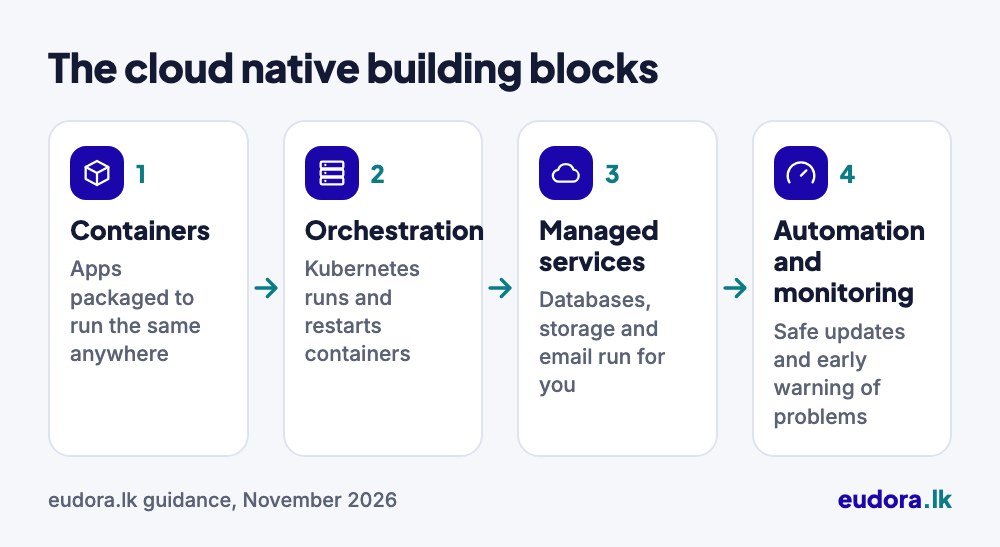
- Containers: a standard way to package an application with everything it needs, so it runs the same on a laptop, a server or the cloud. Our guide to Docker and containers explains them.
- Orchestration: software, most often Kubernetes, that runs many containers, restarts failed ones and spreads them across servers.
- Managed services: databases, storage, email and queues run by the cloud provider, so you do not patch or back them up yourself.
- Automation: code that builds, tests and deploys changes, so updates are routine rather than risky.
- Observability: monitoring and logs that show what is happening, so problems are found before customers report them.
What this means for a typical Sri Lankan business
For most shops, offices, clinics and schools, the practical lesson is to prefer software that is already cloud native rather than building anything. Cloud accounting, Microsoft 365 or Google Workspace, cloud point-of-sale systems and booking platforms are run by providers who handle scaling, updates and backups. You pay a monthly fee and get resilience that would be expensive to build yourself. Our guide to cloud POS and inventory systems covers one common example.
Businesses that run their own website, online store or custom app can adopt cloud native habits step by step: managed hosting with automatic backups, a content delivery network in front of the site, monitoring and uptime alerts, and, when a developer is involved, containers and automated deployments. Our guide on moving from shared hosting to a cloud server explains when that step makes sense.
Tip: When choosing software, ask the vendor where it is hosted, how often it is backed up, what uptime it promises and how you can export your data. Good cloud native providers answer these easily.
Connectivity and power become critical
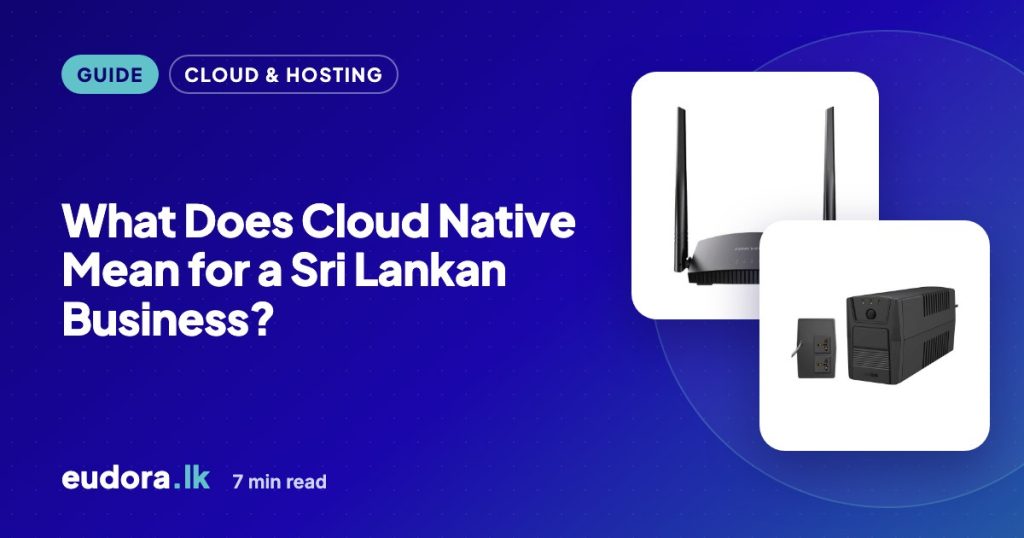
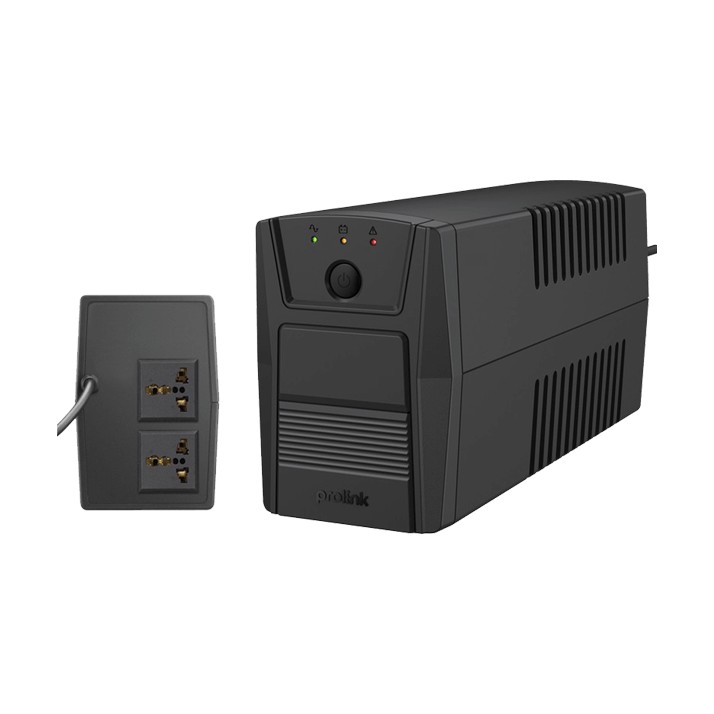
When your tools live in the cloud, the office internet connection becomes as important as electricity. A fibre outage or a power cut that takes down the router stops billing, email and orders. Cloud native software is resilient at the provider’s end, but your end needs attention too. A 4G router such as the Hikvision DS-3WR4G3N at Rs 15,400 gives a backup internet link, and a small UPS such as the PROLiNK PRO701SFC at Rs 11,000 keeps the router and fibre terminal running through power cuts. Together they cost Rs 26,400, often less than a single day of lost sales. Our 4G router guide explains failover options.

Where the servers actually are
Cloud services used in Sri Lanka usually run in data centres overseas. The nearest major cloud regions for AWS, Microsoft Azure and Google Cloud are in India and Singapore, which keeps response times low for local users. For most business data that is fine, but Sri Lanka’s Personal Data Protection Act includes rules about processing personal data outside the country. Our guide to cloud data residency and the PDPA explains what to check.
Costs: rent, not buy
Cloud native services turn large one-off purchases into monthly bills. That helps cash flow and removes surprise repair costs, but bills grow quietly as you add users, storage and services, and many are charged in US dollars. Review subscriptions every quarter and switch off what you do not use. Our guide to budgeting cloud costs in rupees has practical tips.
Questions to ask a developer or software vendor
If you are commissioning a website, app or custom system, a few questions reveal whether it is built in a modern, maintainable way. You do not need to understand every answer in detail; what matters is that the developer can answer clearly.
- How is it deployed? Good answers mention containers, automated deployment or a managed platform, not “we copy the files to the server”.
- What happens if the server fails? Look for automatic restarts, more than one copy or a tested restore process.
- How are backups done and tested? Daily automatic backups stored separately, with a restore tested at least once.
- How will we know if it goes down? Uptime monitoring with alerts to you and the developer.
- Can we move it to another provider? Containers and standard databases make that far easier.
- Who owns the accounts? Cloud, domain and code accounts should be in your business’s name, with the developer given access.
Common myths
Three misunderstandings come up often. First, that the cloud is always cheaper: it often is for small and variable workloads, but a busy server running around the clock can cost more than owning one, so compare honestly. Second, that the cloud provider handles security: providers secure their platform, but your passwords, user accounts, data sharing and settings remain your responsibility. Third, that cloud native means rewriting everything: most businesses adopt it gradually, one system at a time, starting with whatever causes the most trouble today.
Getting started
A simple path for most businesses is: move email and documents to Microsoft 365 or Google Workspace; choose cloud versions of accounting and point-of-sale software; put the website on managed hosting with backups and a care plan; protect internet and power at the office; and, if you run custom applications, ask your developer about containers and automated deployments. Our cloud solutions team can help with any step, including a cloud server setup at Rs 24,900 for an application that still needs one, and our website care plan at Rs 4,900 a month covers updates, backups and monitoring.

Frequently asked questions
Is cloud native only for big companies?
Building cloud native systems is mostly done by larger companies and software vendors. Small businesses benefit by using cloud native software and services.
Is cloud native the same as using the cloud?
No. Moving an existing server to the cloud is “in the cloud”. Cloud native means designing software to use cloud features such as automatic scaling and recovery.
Do I need Kubernetes?
Almost certainly not for a small business. Managed services and good SaaS products give the benefits without the complexity.
Is cloud software safe for my data?
Reputable providers invest heavily in security, but you still need strong passwords, two-factor authentication and your own backups of key data.
What happens if the internet goes down?
Cloud tools become unreachable, so a backup 4G connection and a UPS for the router are worth having.
This article was originally published on eudora.lk.