CCTV cameras are the security system most people in Sri Lanka think of first, and they are excellent at recording what happened. An alarm system does something different: it reacts the moment a door or window opens or someone moves through a room when the system is armed, with a loud siren and an alert to your phone. That immediate response is what scares off most intruders before they take anything. Modern wireless alarms are far easier to install than the wired panels of the past, and they work with an app on your phone. This guide explains how they work, which sensors to fit where, and how an alarm and CCTV complement each other.
Key points
- An alarm detects an intrusion and responds instantly with a siren and phone alert; CCTV records evidence. Most homes and shops benefit from both.
- Wireless kits use battery-powered sensors that talk to a central hub, so installation needs no cable runs through walls.
- Door and window contacts protect the perimeter; motion detectors protect rooms inside; smoke detectors add fire safety.
- The Hikvision AX PRO kit supports up to 64 wireless zones and is controlled from the Hik-Connect app, a keyfob or a keypad.
- Arm the system every night and when you go out, and test it monthly; an alarm that is rarely armed protects nothing.
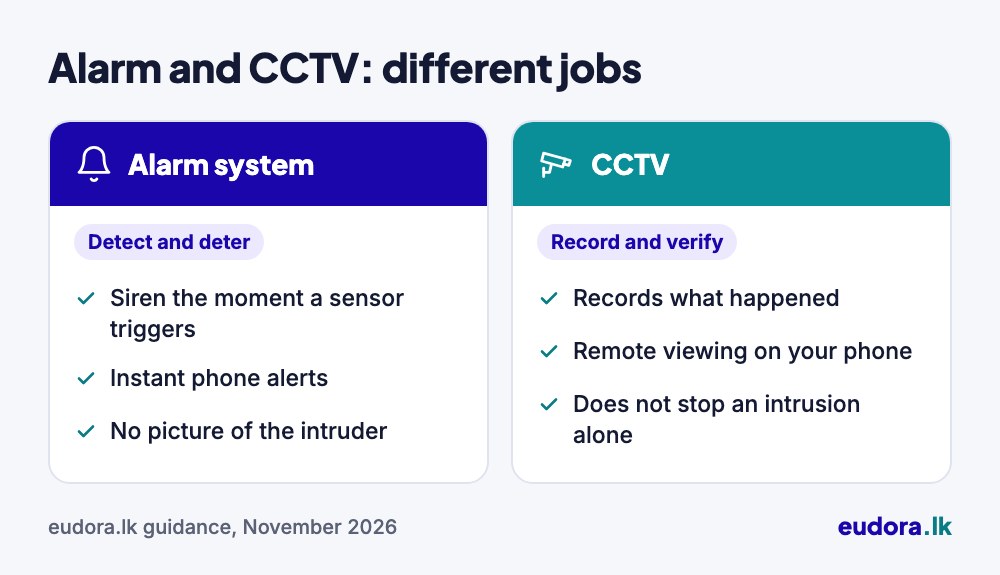
Alarm or CCTV? They do different jobs
| Alarm system | CCTV | |
|---|---|---|
| Main job | Detect and deter in real time | Record evidence and allow remote viewing |
| When it acts | The moment a sensor triggers | Continuously, or when motion is detected |
| Response | Siren, flashing light, phone alerts | Recording, phone alerts on some systems |
| Strength | Interrupts a break-in quickly | Identifies people and shows what happened |
| Weakness | No picture of the intruder | Does not stop a determined intruder by itself |
The combination is stronger than either alone: the alarm interrupts the intrusion, and the cameras show who it was and whether the alert was real. Many people now check their cameras on the phone the moment the alarm sends an alert, which helps avoid false call-outs.
How a wireless alarm works
A wireless alarm has a central hub, sometimes called the control panel, that connects to your Wi-Fi or Ethernet and, on some models, a mobile network. Sensors around the building communicate with the hub by radio. When the system is armed and a sensor triggers, the hub sounds its siren, alerts your phone through the app and can trigger external sirens. You arm and disarm the system with the app, a keyfob or a keypad by the door.
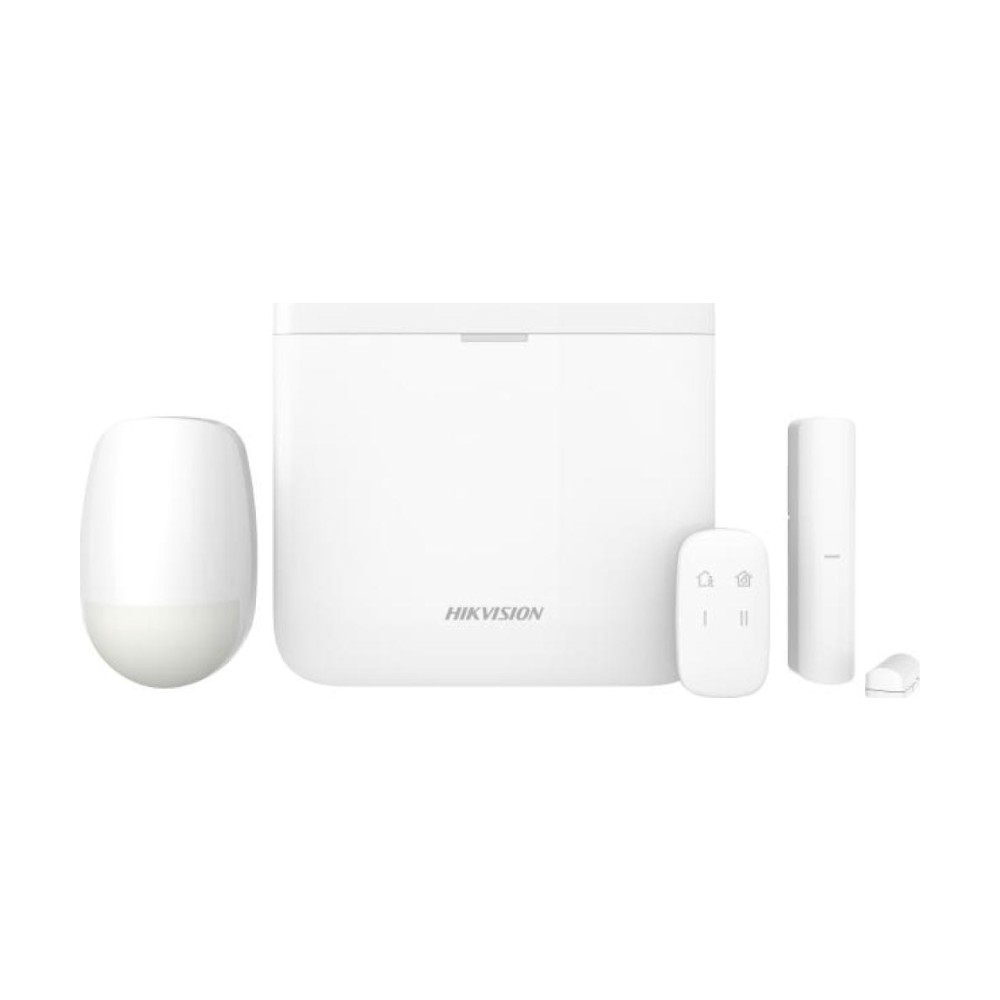
Each sensor runs on batteries that typically last for years, and the hub warns you when a battery is low or a sensor goes offline. Most hubs include a backup battery so the system keeps working through a power cut, which matters in Sri Lanka where outages are common and are sometimes deliberately caused by intruders cutting the supply.
Which sensors to fit where
| Sensor | Detects | Where to fit |
|---|---|---|
| Door and window contact | A door or window opening | Front and back doors, ground-floor windows, roller shutter access doors |
| Motion detector (PIR) | Body heat moving across a room | Hallways, living rooms, shop floors, stock rooms |
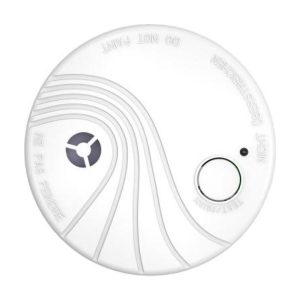
| Smoke detector | Smoke from a fire | Hallways near bedrooms, kitchens (not directly above the cooker), server or electrical rooms |
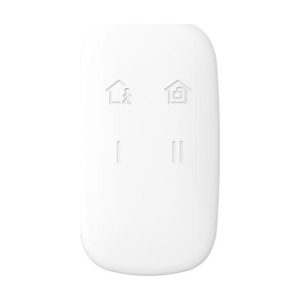
| Keyfob | Lets you arm, disarm or trigger panic | Carried by each family member or key holder |
| External siren | Makes the alarm heard outside | High on the front wall, out of easy reach |
Perimeter sensors, on doors and windows, let you arm the system at night while people move around inside: a “home” or “stay” mode that protects the outside of the house without triggering on family members. Motion detectors are armed when everyone is out.
Tip: Pets can trigger standard motion detectors. Use pet-immune detectors, aim them away from where pets climb, or rely on door and window contacts in rooms the pets use.
Planning a system for a typical home
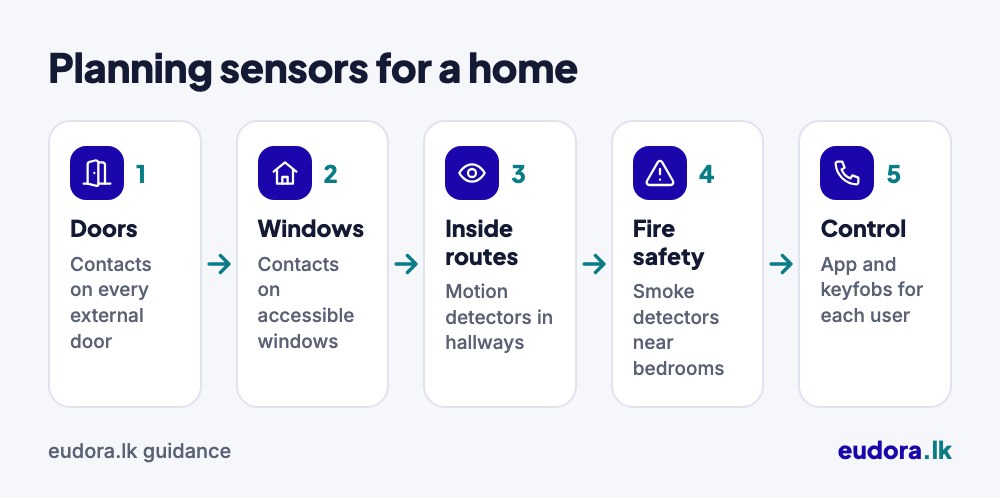
Consider a two-storey house with front and back doors, a garage door into the house and several ground-floor windows. A practical starting point is the kit’s hub and starter detectors, plus contacts on the remaining doors, a motion detector in the main hallway and a smoke detector near the bedrooms.
- Walk the perimeter and list every door and accessible window.
- Identify the routes an intruder would take inside, usually hallways and stairs.
- Place motion detectors to cover those routes, mounted at the recommended height in a corner.
- Add smoke detectors near sleeping areas.
- Position the hub centrally, near the router, out of sight from windows.
- Set up the app for each family member and decide who receives alerts.
As an example, the AX PRO kit with three extra door and window contacts and a smoke detector comes to Rs 100,800, and two extra keyfobs for family members add Rs 15,800.


Shops and small businesses
For shops, the risk is usually after closing time. Contacts on the shutter access door and back door, motion detectors over the shop floor and stock room, and a loud external siren cover most needs. Give each key holder their own keyfob or app account so the history shows who armed and disarmed the system and when. Pair the alarm with cameras covering the entrance and the till, so an alert can be checked on the phone straight away. A wireless alarm kit with a 4-camera ColorVu CCTV kit comes to Rs 156,300 before installation; our guide to CCTV for shops covers the camera side.
Wired or wireless?
Wireless
- No cables through walls; fast installation
- Easy to add or move sensors later
- App control and notifications built in
Wired
- No sensor batteries to replace
- Suits new buildings where cables go in during construction
- Installation is more disruptive in existing homes
For existing homes and shops, wireless is almost always the practical choice. Modern wireless systems use encrypted, two-way radio and report jamming attempts, addressing the main concerns people used to have about them.
Who responds when the alarm goes off?
An alarm is only as useful as the response it triggers. In Sri Lanka there is no widespread monitored-alarm network of the kind common in some other countries, so most homes and shops rely on self-monitoring: the system alerts the owner’s phone, and the owner decides what to do. That works well when it is planned in advance rather than worked out in a panic at two in the morning.
| Response option | How it works | Best for |
|---|---|---|
| Self-monitoring | Alerts go to the owner’s phone through the app | Most homes and small shops |
| Shared alerts | Several family members or key holders receive the same alert | Families, shops with two or more key holders |
| Neighbour or watchman | A trusted person nearby is told to check when alerted | Homes left empty while travelling |
| Private security company | A guard service responds to calls from the owner | Larger shops, warehouses, offices |
Whichever option you choose, write down who is alerted, who checks the cameras, and who calls the police on 119 if the intrusion is real. Share that plan with everyone who has the app. Checking the cameras first takes seconds and avoids sending someone to a false alarm caused by an open window or a curious cat.
The siren itself remains the most important part of the response. Most opportunistic intruders leave within a minute of a loud siren starting, because they cannot know who has been alerted. An external siren mounted high on a front wall, visible from the road, also works as a deterrent before anyone tries a door.
Avoiding false alarms
False alarms annoy neighbours and teach everyone to ignore the siren. Most come from a few avoidable causes.
- Do not point motion detectors at windows, heaters, air conditioners or fans.
- Close and latch doors and windows before arming; the app shows which zone is open.
- Replace sensor batteries when the app warns, not after they fail.
- Use an entry delay on the front door so you have time to disarm.
- Teach everyone in the household or shop how to arm and disarm.
Testing and maintenance
Test the system once a month: arm it, open a protected door and walk through a protected room to check every zone triggers and the alerts arrive on each phone. Test smoke detectors with their test button. Check the hub’s backup battery after any long power cut. Our security installation team can plan, install and test alarm systems alongside CCTV, and our guide to securing your home before the holidays covers the other steps to take before travelling.
Frequently asked questions
Do I need an alarm if I already have CCTV?
An alarm adds instant detection and a siren that can stop a break-in in progress. CCTV mainly records evidence. Together they give the best protection.
Do wireless alarms work during power cuts?
Sensors run on batteries and most hubs have a backup battery, so the system keeps working for a period during a power cut.
Can I control the alarm from my phone?
Yes. The Hikvision AX PRO works with the Hik-Connect app for arming, disarming and alerts.
Will my dog set off the alarm?
Standard motion detectors may. Use pet-immune detectors or rely on door and window contacts in rooms pets use.
How long do sensor batteries last?
Typically years, depending on how often sensors trigger. The app warns when a battery is low.
This article was originally published on eudora.lk.