Paper attendance registers and shared office keys work until they do not: signatures get filled in for absent colleagues, keys are copied or lost, and nobody can say who entered the store room on Saturday. Electronic attendance terminals and access control systems solve both problems. They record exactly when each person arrives and leaves, and decide who may open which door at what time. For small and medium businesses in Sri Lanka, fingerprint, card and face recognition terminals have become affordable, and they connect to simple software that produces attendance reports for payroll. This guide explains how they work, how the main types compare and what to think about before installing one, including the handling of staff biometric data.
Key points
- An attendance terminal records when staff clock in and out; an access control terminal also unlocks a door for authorised people.
- Fingerprint terminals are the most affordable; face recognition is contactless and faster for larger teams; cards and PINs work as backups.
- Access control needs an electric lock, a power supply with backup and an exit button, so plan the door hardware as well as the terminal.
- Biometric data is sensitive personal data under Sri Lanka’s Personal Data Protection Act; tell staff how it is used and keep it secure.
- Combining access control with a camera at the door gives a record of who actually entered, not just whose credential was used.
Attendance or access control?
| Attendance terminal | Access control terminal | |
|---|---|---|
| Main job | Record arrival and departure times | Decide who can open a door, and record it |
| Door hardware | None needed | Electric lock, exit button, power supply |
| Where it goes | Staff entrance, near the time clock | Beside each controlled door |
| Reports | Hours worked, late arrivals, overtime | Door events, plus attendance on combined models |
| Example | Hikvision DS-K1A8503EF | Hikvision DS-K1T8003EF, DS-K1T320EX |
Many terminals do both: they record attendance and, when wired to a lock, open the door. If you only need attendance today but might control a door later, a combined model avoids buying twice.
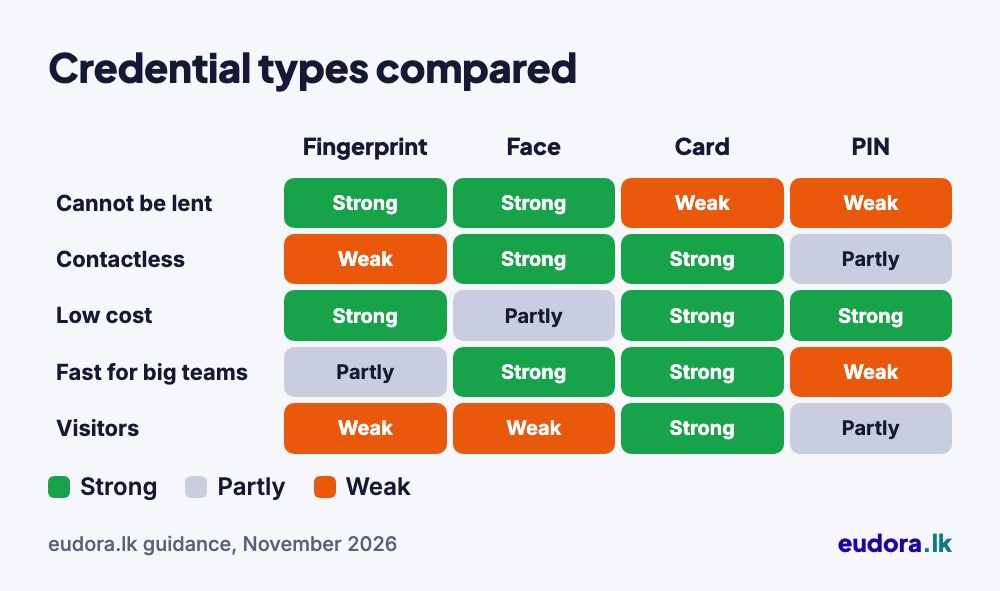
Fingerprint, card, PIN or face?
| Credential | Strengths | Weaknesses |
|---|---|---|
| Fingerprint | Cannot be lent or lost; affordable | Struggles with worn, wet or dirty fingers; touch-based |
| Face recognition | Contactless; fast for many people; works with gloves | Costs more; needs reasonable lighting |
| Proximity card (EM) | Quick; works for visitors and contractors | Cards can be lent, lost or copied |
| PIN code | No hardware for the user to carry | Codes are easily shared |
Most terminals combine several credentials, so you can enrol staff by fingerprint or face and issue a card to visitors or to anyone whose fingerprints do not read well. Workers in construction, garages and kitchens often have worn or dirty fingers that fingerprint readers find hard to read; face recognition or a card works better for them.
The terminals compared
| Model | Credentials | Functions | Price |
|---|---|---|---|
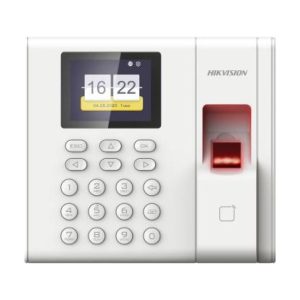
| Hikvision DS-K1A8503EF | Fingerprint, EM card | Time attendance | Rs 19,900 |
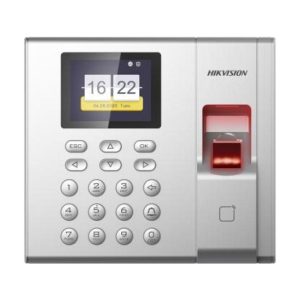
| Hikvision DS-K1T8003EF | Fingerprint, EM card | Access control and attendance, lock output | Rs 25,500 |
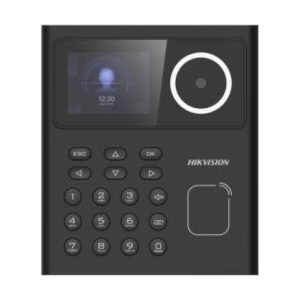
| Hikvision DS-K1T320EX | Face, EM card, PIN | Access control and attendance, 2MP camera | Rs 27,400 |
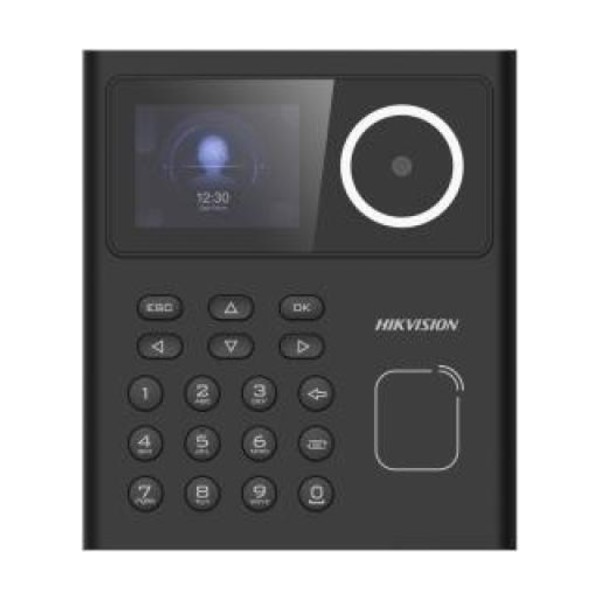
Moving from the fingerprint access terminal to the face recognition model costs Rs 1,900 more. For a team of 20 or more people arriving at the same time, the faster, contactless face terminal avoids queues at the door each morning.
What access control needs at the door
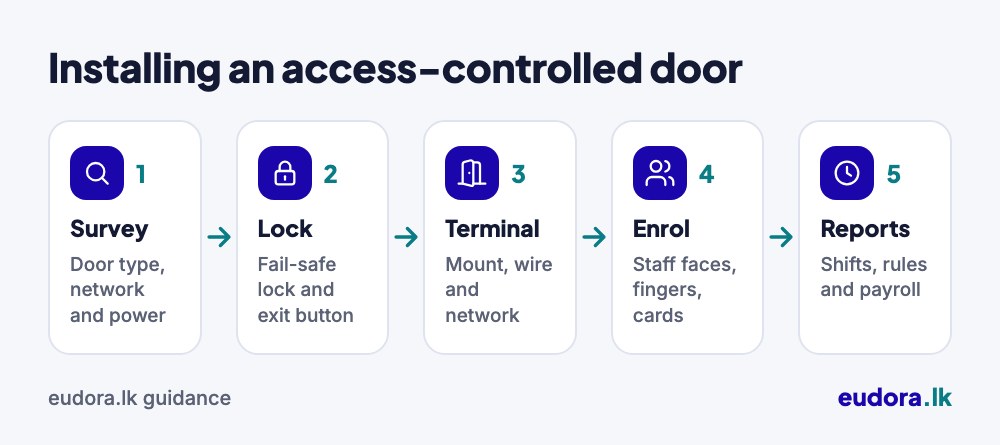
An access control terminal is only one part of a controlled door. To unlock the door, it switches an electric lock, and the door needs a few other parts to work safely.
- Electric lock: a magnetic lock or electric strike suited to the door type and frame.
- Power supply with battery backup: so the lock and terminal keep working through power cuts.
- Exit button: on the inside, so people can leave without using a credential.
- Emergency release: a break-glass unit or fail-safe lock so the door opens in a fire or emergency.
- Door closer: so the door shuts and locks again after each use.
Safety: Doors on escape routes must always open from the inside in an emergency. Use fail-safe magnetic locks, which release when power is cut, and an emergency break-glass release on escape doors.
Planning for your business
Before choosing a terminal, it helps to answer a few practical questions. How many people need to be enrolled, and do they arrive at the same time or in shifts? Which doors need control, and which only need attendance? Do contractors, cleaners or visitors need temporary access? And who will manage the system day to day when someone joins or leaves?
A small shop with five staff and one entrance usually needs a single attendance terminal near the back door, or a combined terminal if the stock room also needs controlling. An office of 20 to 50 people benefits from a face recognition terminal at the main entrance, to avoid a queue at nine o’clock, and fingerprint terminals on internal doors such as the server room or the finance office. A factory or warehouse with shift workers often places attendance terminals at the staff gate and controls access to stores and offices separately.
Think about where each terminal will be mounted. Terminals should be at a comfortable height, out of direct rain and harsh sunlight, and within reach of a network point and a power supply. Face recognition works best where the light on people’s faces is even, so avoid mounting a face terminal directly opposite a bright doorway or window, where people are silhouetted against the light.
Finally, decide on the rules. Which groups may enter which doors, and at what times? Should the system lock the stock room at closing time automatically? What happens on public holidays? Setting these rules carefully at the start saves arguments later, and the software lets you change them as the business grows.
Software and reports
Day-to-day administration is usually light once the system is running: add new staff on their first day, remove leavers on their last, and check reports at the end of each pay period. Terminals store attendance records internally and connect to free management software over the network, or export records to a USB flash drive. The software assigns shifts, calculates hours, late arrivals, early departures and overtime, and exports reports for payroll. Connecting terminals to the office network lets HR pull records without visiting the device; each terminal needs a network point near the door. Two access-controlled doors with a network point each come to Rs 58,800 before locks and installation.
Pairing with CCTV
An access log shows which credential opened a door, not who walked through it. A camera covering each controlled door closes that gap: if a card is lent or a door is held open for someone else, the footage shows it. The face recognition terminal also captures an image at each event. As an example, a fingerprint access terminal with a 4-camera IP CCTV kit comes to Rs 123,400 before installation. Our guide to CCTV for shops and small businesses covers camera placement, and our wireless alarm guide covers after-hours intrusion.
Keep the door camera’s recorder on a UPS as well as the lock power supply. A power cut is exactly when doors are most likely to be propped open, and footage from those minutes is often the most useful. Check that the recorder’s clock matches the terminals’ clocks, so door events and video line up when you need to compare them.
Handling staff biometric data
Fingerprints and face images are biometric data, which Sri Lanka’s Personal Data Protection Act No. 9 of 2022 treats as a special category of personal data. Using them for attendance is common and legitimate, but it carries responsibilities.
- Tell staff in writing what is collected, why, who can see it and how long it is kept.
- Offer an alternative, such as a card or PIN, for anyone who objects or cannot enrol.
- Restrict access to the management software to the people who need it.
- Change the terminal’s default administrator password and keep its firmware updated.
- Delete a person’s templates when they leave the business.
Modern terminals store fingerprints as mathematical templates rather than images, which cannot easily be turned back into a fingerprint, but the data still needs protecting. Our security installation team can install terminals, locks and software and help set up sensible access rules.
Frequently asked questions
Do I need access control or just attendance?
If you only need to know when staff arrive and leave, an attendance terminal is enough. If you also want to control who opens a door, choose a model with a lock output.
What if an employee’s fingerprint does not read?
Enrol a second finger, or issue a card or PIN. Face recognition terminals avoid the problem for staff with worn or dirty fingers.
Does the door stay locked during a power cut?
That depends on the lock type and the backup battery. Fail-safe locks release when power is lost, which is required on escape routes; a battery-backed power supply keeps normal operation running through short cuts.
Can the system export reports for payroll?
Yes. The management software calculates hours, late arrivals and overtime and exports reports.
Is it legal to use fingerprints for attendance in Sri Lanka?
It is widely used, but biometric data is sensitive under the Personal Data Protection Act, so inform staff, secure the data and offer an alternative where appropriate.
This article was originally published on eudora.lk.