Every UPS keeps your equipment running when the power fails, but not every UPS works the same way. The two types sold for homes and offices in Sri Lanka are line-interactive and online, also called double conversion. Line-interactive units are smaller, quieter and cheaper, and they protect most desktop PCs, routers and CCTV recorders well. Online units cost more but deliver perfectly clean power with no switchover gap at all, which matters for servers, medical and laboratory equipment, and anywhere the mains voltage is poor or a generator is involved. This guide explains how the two designs work, compares them side by side and shows which to choose for common situations.
Key points
- A line-interactive UPS passes mains power through, corrects voltage with automatic voltage regulation (AVR) and switches to battery in a few milliseconds when the power fails.
- An online UPS converts all incoming power to DC and back to AC all the time, so the output is clean and there is no transfer gap.
- Line-interactive suits home PCs, routers, NVRs and small offices; online suits servers, network racks, sensitive equipment and generator-backed sites.
- An online UPS costs roughly two to three times as much as a line-interactive unit of the same VA rating.
- Whichever type you choose, size it for the real load in watts and plan the runtime you need.
How a line-interactive UPS works
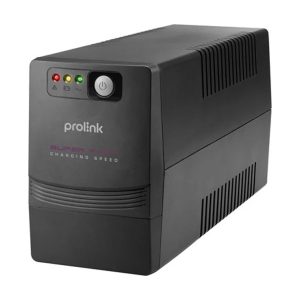
In normal operation a line-interactive UPS passes mains electricity straight through to your equipment, with surge protection and a transformer that boosts low voltage or reduces high voltage. This automatic voltage regulation, or AVR, keeps the output within a safe band without using the battery, which is valuable in areas where the voltage sags in the evening or rises late at night. When the mains fails or goes outside the range the AVR can correct, a relay switches the output to the battery and inverter. That switch takes a few milliseconds: the PROLiNK PRO2000SFC is specified at 2 to 6 milliseconds.
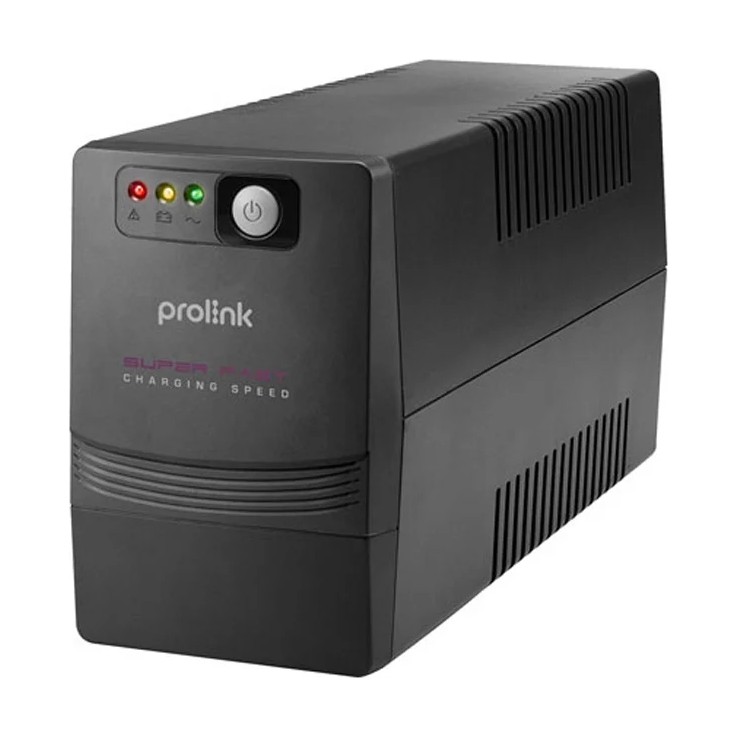
Most line-interactive units in this price range produce a simulated sine wave on battery, a stepped approximation of the smooth mains waveform. Modern PC power supplies and routers handle this without trouble. Some equipment does not: certain power supplies with active power factor correction, motors, pumps and some audio equipment can hum, run hot or shut down on a stepped waveform.
How an online UPS works
An online UPS takes a different approach. All incoming power passes through a rectifier that converts it to DC, which keeps the battery charged and feeds an inverter that rebuilds a fresh, pure sine wave AC output. Your equipment never runs directly from the mains. When the power fails, the inverter simply carries on drawing from the battery instead of the rectifier, so there is no transfer at all: the output does not even flicker.
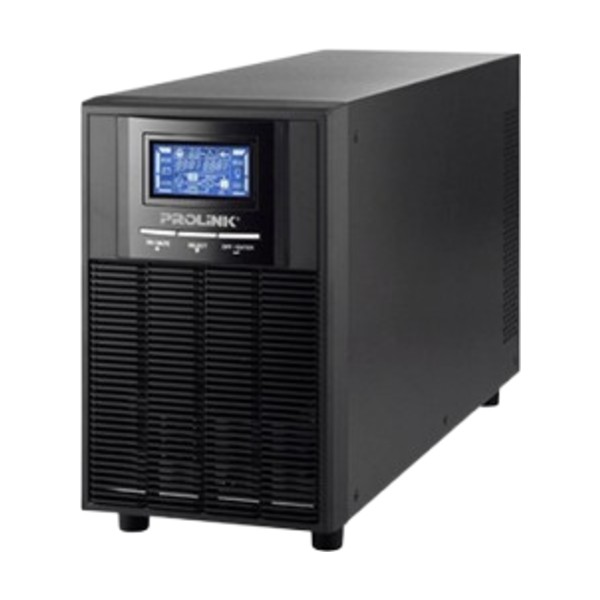
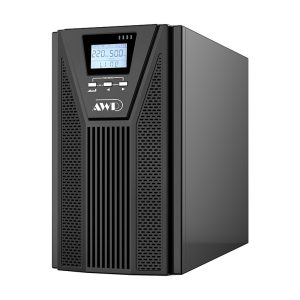
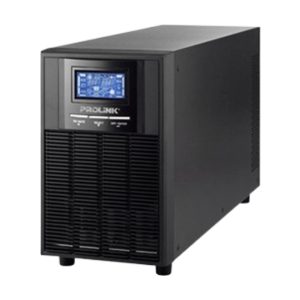
Because the output is generated fresh, it is also tightly regulated. The PROLiNK PRO901ES holds its output within plus or minus 1% of the set voltage, against around plus or minus 10% for a typical line-interactive unit, and accepts a very wide input range of 110 to 300 volts at half load. Online units also cope well with generator power, whose voltage and frequency can drift, and the AWP APO1000 is specifically listed as generator compatible.
Side-by-side comparison
| Feature | Line-interactive | Online (double conversion) |
|---|---|---|
| Normal operation | Mains passes through with AVR | All power converted AC to DC to AC |
| Transfer time to battery | About 2 to 6 ms | None (0 ms) |
| Output on battery | Usually simulated sine wave | Pure sine wave |
| Output regulation | About ±10% | About ±1% |
| Generator power | May switch to battery often | Handles drifting generator output |
| Efficiency | High; little heat | Lower; more heat, fans run constantly |
| Noise | Quiet | Audible fan noise |
| Typical price at 1 to 2 kVA | Lower | Two to three times higher |
| Best for | PCs, routers, NVRs, small offices | Servers, racks, sensitive equipment |
What the price difference looks like
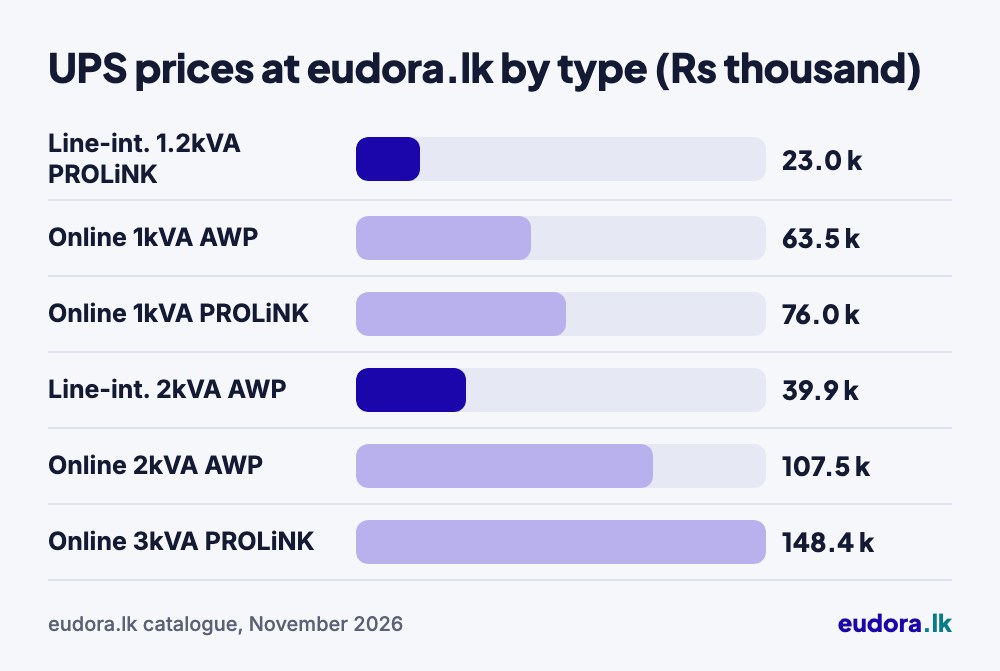
Prices at eudora.lk show the gap clearly. A 1.2kVA PROLiNK line-interactive unit costs Rs 23,000, while the 1kVA PROLiNK online model costs Rs 76,000, a difference of Rs 53,000. At 2kVA, the AWP line-interactive AID2000 costs Rs 39,900 and the AWP online APO2000 costs Rs 107,500, a difference of Rs 67,600.
| Model | Type | Capacity | Price |
|---|---|---|---|
| AWP AID650 | Line-interactive | 650VA / 390W | Rs 9,900 |
| PROLiNK PRO701SFC | Line-interactive | 650VA | Rs 11,000 |
| PROLiNK PRO1201SFC | Line-interactive | 1200VA | Rs 23,000 |
| PROLiNK PRO2000SFC | Line-interactive | 2000VA | Rs 39,900 |
| PROLiNK PRO3000SFCU | Line-interactive | 3000VA / 1800W | Rs 64,000 |
| AWP APO1000 | Online | 1000VA / 900W | Rs 63,500 |
| PROLiNK PRO901ES | Online | 1000VA / 900W | Rs 76,000 |
| AWP APO2000 | Online | 2000VA / 1800W | Rs 107,500 |
| PROLiNK PRO903ES | Online | 3000VA / 2400W | Rs 148,400 |
Note the watt ratings as well as the VA figures. Online units have a power factor of 0.9, so a 1000VA online UPS delivers 900 watts, while a 1200VA line-interactive unit may deliver only 720 watts. Compared by watts, the gap is smaller than the VA figures suggest.
Which one should you buy?
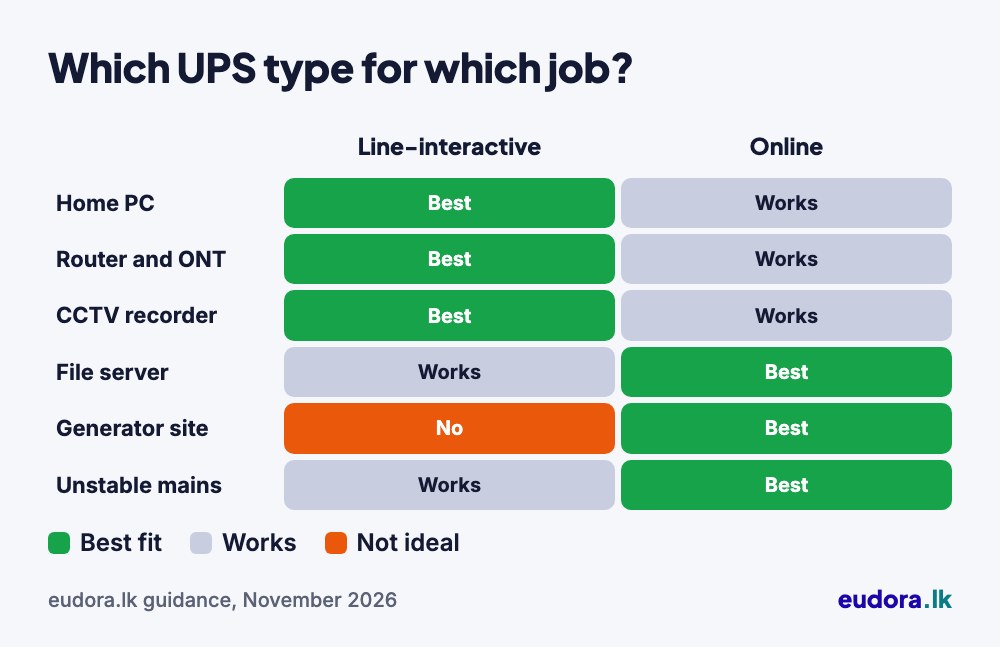
| Situation | Recommended type | Why |
|---|---|---|
| Home desktop PC and monitor | Line-interactive | Short transfer time is fine for PC power supplies |
| Router, ONT and Wi-Fi | Line-interactive (small) | Low load; long runtime from a small unit |
| CCTV recorder and PoE switch | Line-interactive | Keeps recording through short cuts |
| Small office with a few PCs | Line-interactive per desk | Cheaper and simpler than a central unit |
| File server or network rack | Online | No transfer gap; clean power for 24/7 equipment |
| Site on generator backup | Online | Tolerates generator voltage and frequency drift |
| Very poor or unstable mains voltage | Online | Wide input range and tight output regulation |
| Laboratory, medical or audio equipment | Online | Pure sine wave and tight regulation |
Tip: If your PC shuts down the instant the power fails even though a line-interactive UPS is connected, the cause is often a power supply with active power factor correction that does not like the stepped waveform. A pure sine wave UPS, such as an online model, fixes it.
Sizing and runtime
Whichever type you choose, sizing matters more than anything else. Add up the watts your equipment actually draws, then pick a UPS whose watt rating is at least 25% above that total, so it does not run at its limit. A typical office desktop with a monitor draws 100 to 200 watts; a small file server 150 to 300 watts; a router and ONT together under 30 watts.
Runtime depends on battery capacity and load. A UPS running at full load lasts only a few minutes; the same unit at a quarter load lasts much longer. Standard units are designed to bridge short cuts and allow a clean shutdown, not to run equipment for hours. For longer outages, online models with external battery options, or a separate inverter system, are the right tools. Our UPS buying guide covers sizing and runtime in more detail, and our guide to protecting equipment from lightning and power surges explains the surge protection side.
Living with each type
Line-interactive units are easy to live with: they are quiet, run cool and use little power. Their batteries typically last three to five years in Sri Lanka’s heat before runtime drops noticeably. Online units run their fans constantly and give off more heat, so they belong in a ventilated room or rack rather than under a desk in a quiet office. They also use a little more electricity because of the constant conversion, which adds up over a year of 24-hour operation.
- Keep any UPS in a cool, ventilated spot; heat shortens battery life.
- Run a self-test every few months and note the runtime.
- Install the shutdown software so servers and PCs close safely on long cuts.
- Plan to replace batteries every three to five years.
- Do not plug laser printers or heaters into a UPS; their surge current overloads it.
Getting help
If you are protecting a server, a network rack or a whole office, a short site check helps choose the type, the capacity and where to install it. Our IT support team can size and install UPS systems, including shutdown software and battery replacement, and our guide to the 3-2-1 backup rule covers the other half of protecting your data from power problems.
Frequently asked questions
Is an online UPS always better?
It gives cleaner power and no transfer gap, but it costs more, is noisier and uses more electricity. For most home PCs and routers a line-interactive UPS is the sensible choice.
What does 0 ms transfer time mean?
The output never switches source. An online UPS always runs equipment from its inverter, so a power cut causes no interruption at all.
Can I run a server on a line-interactive UPS?
Many small servers run fine on one, but an online UPS is the safer choice for equipment that runs around the clock and must never lose power.
Why does my PC turn off when the power fails even with a UPS?
Either the UPS is overloaded, its battery is worn out, or the PC’s power supply does not accept the simulated sine wave. Check the load and battery first, then consider a pure sine wave UPS.
Does an online UPS work with a generator?
Yes. Online units tolerate the voltage and frequency drift of generator power much better than line-interactive units.
This article was originally published on eudora.lk.