Every wired network has a switch somewhere: the box that connects computers, printers, Wi-Fi access points, IP cameras and the internet router. In a home it is often built into the router. In a shop or office with more than a handful of wired devices you need a separate one, and if you are installing IP CCTV cameras, you probably need a PoE switch that powers the cameras through the network cable. Choosing well saves money on electricians and avoids slow networks and cameras that keep rebooting. This guide explains the jargon, compares the types of switch, and shows how to work out ports and power for a real installation.
Key points
- A switch connects wired devices on your network; the router connects that network to the internet.
- Power over Ethernet (PoE) sends power and data over one cable, so IP cameras and access points need no separate power supply.
- Add up the watts of every PoE device and choose a switch with at least 20 to 30 percent spare PoE budget.
- Choose gigabit ports for computers, NVRs and uplinks; 10/100 PoE ports are fine for most 2MP and 4MP cameras.
- Unmanaged switches suit most homes and small offices; managed switches add VLANs and monitoring for larger or more security-conscious networks.
Router, switch and access point: who does what
These three boxes are often confused. The router connects your local network to the internet and hands out addresses. A switch adds more wired ports so devices on the same network can talk to each other at full speed. An access point adds Wi-Fi coverage and usually plugs into a switch. Most home routers combine all three in one box with four wired ports. When those four ports run out, or when cables need to reach different parts of a building, a separate switch is the answer.
A switch is not a splitter. Each port gets its own full-speed connection, and the switch sends traffic only to the port that needs it. Modern switches are plug-and-play: connect one cable to the router, the others to your devices, and they work.
Power over Ethernet in plain terms
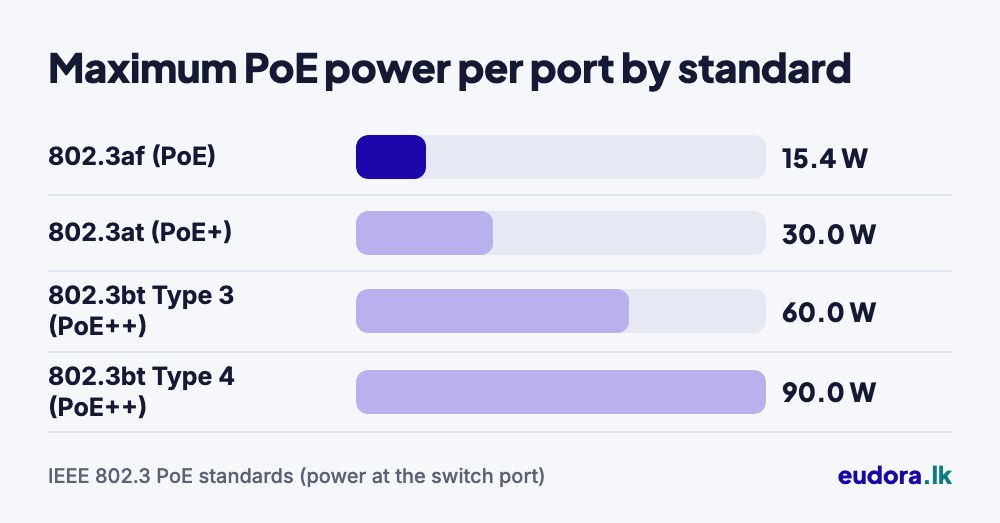
Power over Ethernet uses the same CAT5e or CAT6 cable to carry both data and low-voltage power. For CCTV, that means one cable from the recorder or switch to each camera instead of a network cable plus a power adapter and socket at every camera position. That simplifies installation on boundary walls and ceilings, and it means a single UPS at the switch keeps every camera powered through a power cut.
| Standard | Also called | Power per port at the switch | Typical devices |
|---|---|---|---|
| IEEE 802.3af | PoE | Up to 15.4W | Most fixed IP cameras, IP phones |
| IEEE 802.3at | PoE+ | Up to 30W | Pan-tilt cameras, Wi-Fi access points, cameras with heaters or bright lights |
| IEEE 802.3bt | PoE++ | Up to 60W or 90W | Large PTZ cameras, some displays and lighting |
Every switch also has a total PoE budget, the most power it can supply across all ports at once. An 8-port switch might offer 15W per port but only 60W in total, so you cannot run eight power-hungry cameras on it. That budget, not the port count, is the number most often overlooked.
Working out ports and power: a worked example
Take a shop installing four 2MP IP bullet cameras outside and two inside, plus one Wi-Fi access point. Each fixed camera typically draws around 4 to 7W, with infrared on at night towards the top of that range; the access point might draw around 10W. Check the datasheet for each device, then add them up.
| Device | Quantity | Example power each | Total |
|---|---|---|---|
| 2MP IP bullet camera with IR | 4 | about 6W | about 24W |
| Indoor 2MP turret camera | 2 | about 5W | about 10W |
| Wi-Fi access point | 1 | about 10W | about 10W |
| Total | about 44W |
With 25 percent headroom the switch should supply at least 55W across seven ports, so an 8-port PoE switch with a comfortable budget fits, while a 4-port model with around 35W does not. These figures are examples; always use the datasheet values for your exact models. Our camera placement guide helps plan the number of cameras first.
Gigabit or 10/100: does port speed matter?
Switch ports come in two common speeds: 10/100 Mbps, called fast ethernet, and 10/100/1000 Mbps, called gigabit. A 2MP or 4MP camera streams at a few megabits per second, far below 100 Mbps, so 10/100 PoE ports are perfectly adequate for cameras. Computers, NAS storage, NVRs and the link between switches benefit from gigabit, especially when copying large files or viewing many camera streams at once.
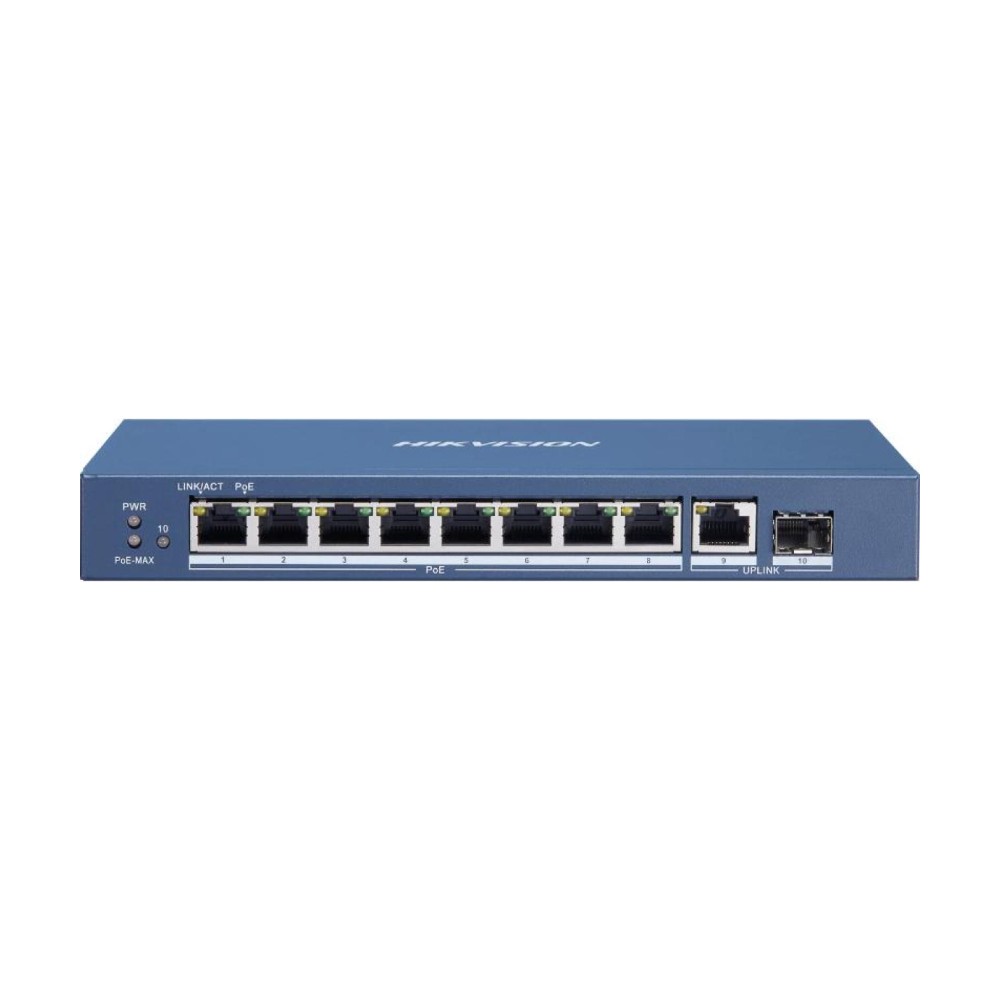
In our range, the 8-port gigabit PoE switch costs Rs 5,900 more than the 8-port 10/100 PoE model. For a camera-only network that difference is optional; for a switch that also connects computers and an NVR, gigabit is worth it.
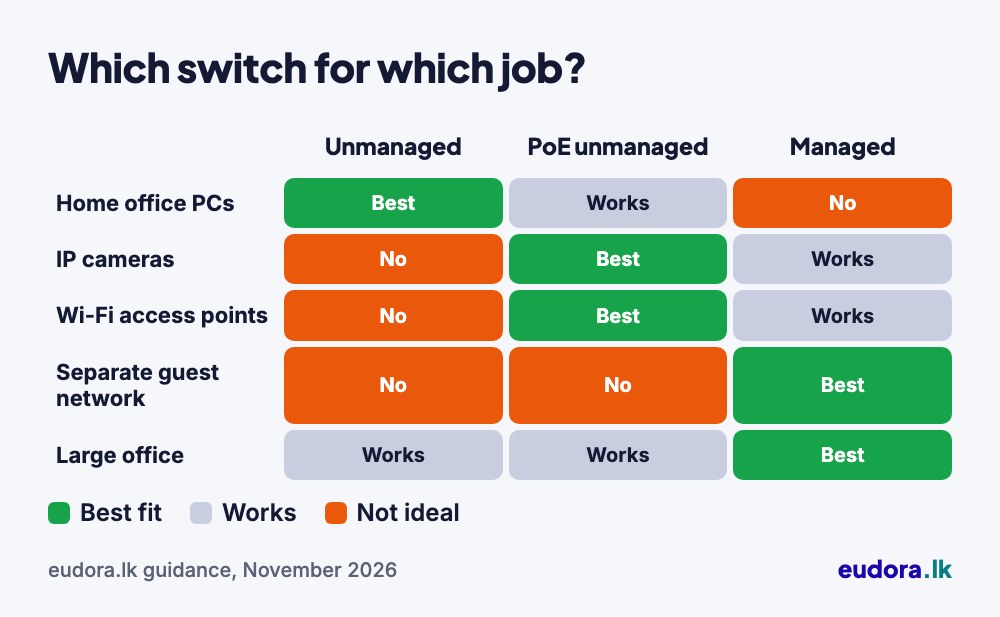
Unmanaged or managed?
Unmanaged switch
- Plug and play, nothing to configure
- Lower cost
- Ideal for homes, shops and small offices
Managed switch
- VLANs to separate cameras, guests and office PCs
- Monitoring, port control and PoE scheduling
- Needs configuration and some expertise
For most small businesses, an unmanaged switch is the right choice. A managed switch makes sense when you want to keep CCTV cameras and smart devices on a separate network segment from computers handling payments and customer data, which is good security practice for larger sites. Our network security checklist explains why separating devices matters.
Choosing the right switch
| Situation | Suggested switch | Price |
|---|---|---|
| Home office with a few PCs and a printer | 5 or 8-port gigabit, unmanaged | Rs 4,200 to Rs 7,600 |
| Up to 4 IP cameras, small budget | HiLook 4-port PoE (about 35W) | Rs 7,500 |
| Up to 8 IP cameras or cameras plus access points | 8-port PoE, gigabit if PCs share it | Rs 16,700 to Rs 22,600 |
| Office with 10 to 20 wired desks | 16 or 24-port gigabit | Rs 19,700 to Rs 24,100 |
| Large CCTV site | 16-port PoE | Rs 52,200 |
-
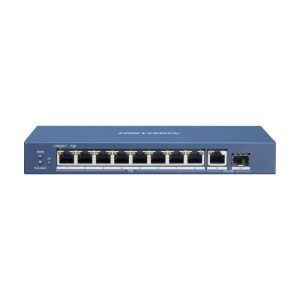 Hikvision
 DS-3E0510P-E/M 8-Port Gigabit PoE Switch
Rs 22,600
Add to cart
-
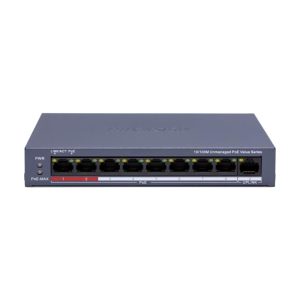 Hikvision
 DS-3E0109P-E/M 8-Port PoE Switch
Rs 16,700
Add to cart
-
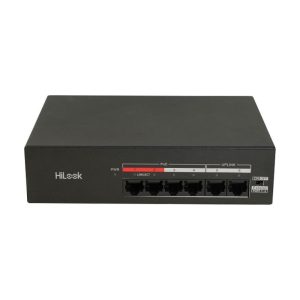 HiLook
 NS-0106MP-35 4-Port PoE Switch
Rs 7,500
Add to cart
-
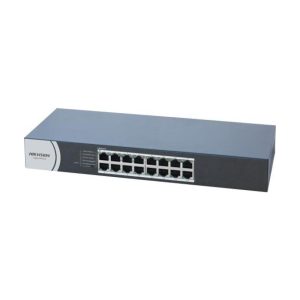 Hikvision
 DS-3E0516R-O 16-Port Gigabit Network Switch
Rs 19,700
Add to cart
Larger switches cost less per port: an 8-port gigabit switch works out at Rs 950 per port, a 24-port at Rs 1,004. If you expect to grow, a bigger switch now is often cheaper than adding a second one later.
Cable distance and installation
Standard Ethernet copper cabling works up to 100 metres per run, including patch leads. Some PoE switches, such as the HiLook 4-port model, offer an extended mode that reaches about 250 metres at reduced speed, useful for a camera at the far end of a property. For longer distances, use a second switch in between or fibre. Use proper outdoor-rated CAT6 for external runs, protect cables from the sun with conduit, and earth equipment properly; lightning-induced surges are a common cause of failed PoE ports in Sri Lanka, as explained in our guide to protecting CCTV from surges.
- Label both ends of every cable.
- Keep network cables away from mains power cables where possible.
- Put the switch and router on a UPS so cameras and Wi-Fi survive power cuts.
- Leave spare ports for future cameras or access points.
- Mount switches in a ventilated cabinet; PoE switches run warm.
As an example, an office with a 16-port gigabit switch and eight new structured cabling points comes to Rs 50,900, and a small camera network with an 8-port gigabit PoE switch and four HiLook 2MP bullet cameras to Rs 55,800 before installation.
Troubleshooting common switch problems
Most network problems we are called to fix in small offices come down to a handful of causes. A camera that keeps rebooting at night is often a PoE budget problem: the infrared lights draw more power after dark and the switch runs out. A slow network can be a single damaged cable forcing a port down to 100 Mbps, or a loop where someone has plugged both ends of a cable into the same switch. Blinking lights on every port at once usually point to a loop or a faulty device flooding the network.
- Check the port lights for link and speed; many switches show gigabit and 100 Mbps in different colours.
- Swap the patch lead and try another port to rule out the cable.
- Check the PoE total against the switch’s budget, especially at night.
- Look for loops: unplug cables one at a time until the flooding stops.
- Restart in order: router, then switches, then devices.
Switch or PoE NVR?
Many NVRs for IP cameras have PoE ports built in, which means the cameras plug straight into the recorder and no separate switch is needed for small systems. A separate PoE switch makes sense when cameras are spread across a large site, when you want to connect more cameras than the NVR has ports, or when access points and phones also need PoE. Our comparison of DVRs and NVRs explains the recorder side, and our networking team can design and install office and CCTV networks.
Frequently asked questions
Can I use a normal switch with IP cameras?
Yes, but then each camera needs its own power adapter and socket. A PoE switch powers the cameras through the network cable instead.
How many cameras can a PoE switch power?
As many as it has PoE ports, provided the total power stays within the switch’s PoE budget. Add up each camera’s power from its datasheet.
Do I need gigabit ports for CCTV?
Not for the cameras themselves; 10/100 ports handle 2MP and 4MP streams easily. Use gigabit for the NVR, computers and links between switches.
What is the maximum cable length for PoE?
100 metres per run for standard Ethernet. Some switches have an extended mode reaching about 250 metres at reduced speed.
Should a small office buy a managed switch?
Usually not. An unmanaged switch is simpler and cheaper. Consider managed switches when you need VLANs to separate cameras, guests and office computers.
This article was originally published on eudora.lk.