When most people think of AI, they picture typing a question into ChatGPT or Gemini and waiting for an answer from a data centre somewhere overseas. That is still how the most powerful AI tools work. But a growing share of AI features now runs directly on your phone or laptop, using a dedicated AI chip and smaller AI models designed to fit on a device. Live translation of a phone call, summaries of long messages, transcription of voice notes, removing objects from photos and searching your own files can all happen without anything leaving the device. That has real advantages for privacy, speed and use without internet, which matters in a country with patchy mobile coverage and data packages. It also has limits, and it needs newer hardware. This guide explains what on-device AI can do, how it differs from cloud AI, and what to look for when buying.
Key points
- On-device AI runs smaller AI models on your phone or laptop’s own processor and NPU, instead of sending data to the cloud.
- It is faster for small tasks, works offline and keeps personal data on the device.
- It is less capable than the largest cloud AI models, so many apps combine both.
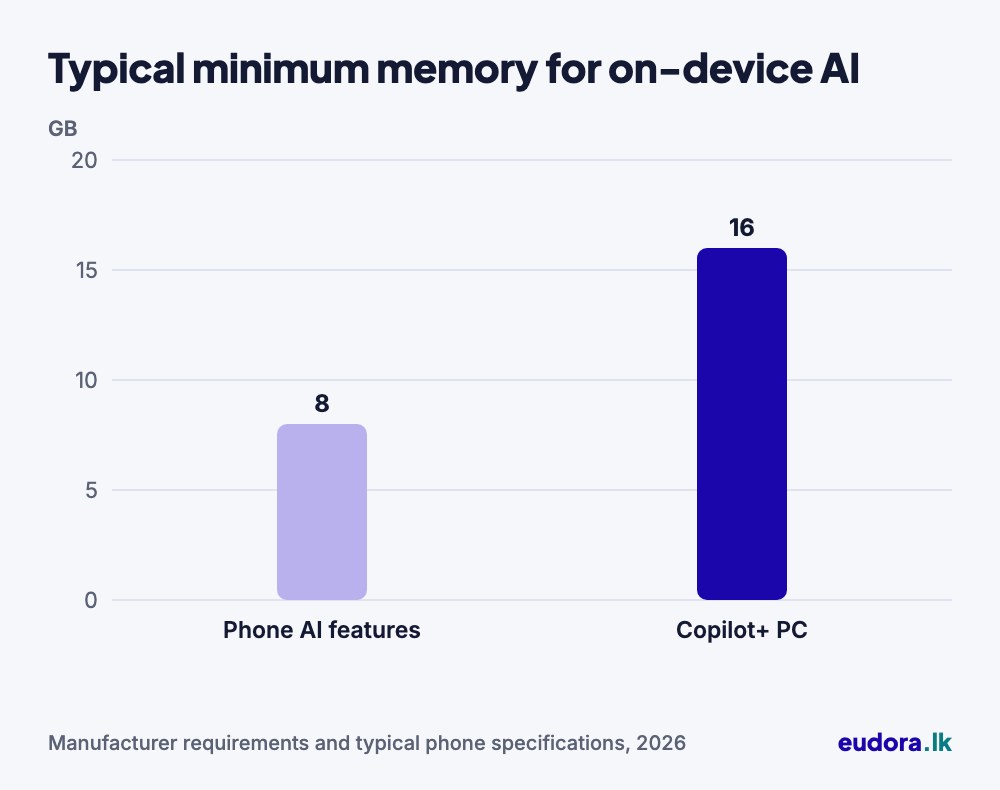
- Phones need a recent chip and usually 8GB or more of memory; Windows Copilot+ PCs need an NPU of at least 40 TOPS and 16GB of memory.
- Buy for battery, screen and performance first; treat AI features as a bonus unless you have a specific use for them.
Cloud AI versus on-device AI
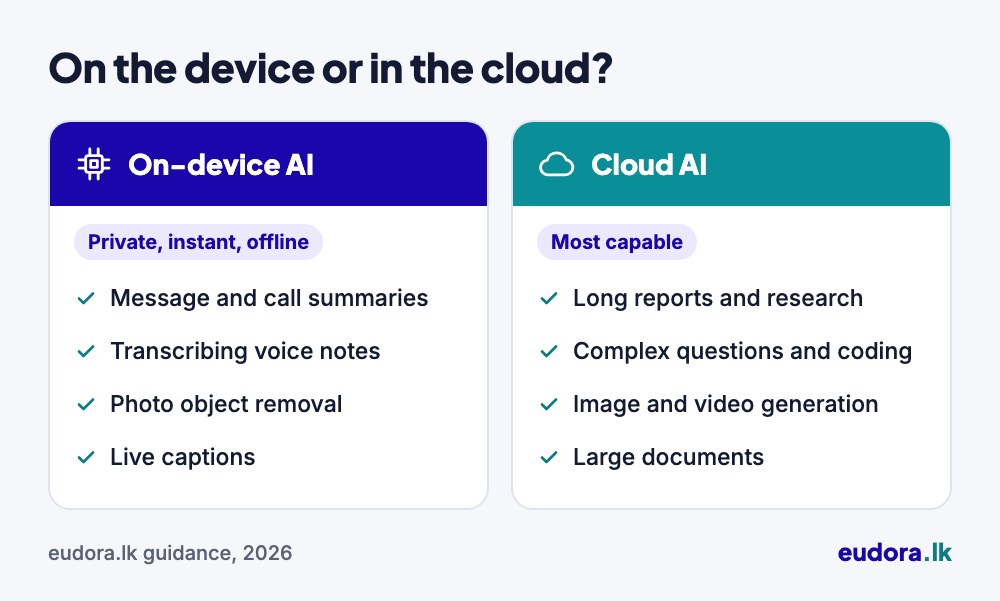
Large cloud AI models are enormous, needing powerful servers with specialised chips. On-device models are far smaller, trimmed and optimised to run on the processor, graphics and neural processing unit (NPU) inside a phone or laptop. The trade-off is capability: a small model is very good at specific tasks such as summarising a message or transcribing speech, but it cannot match a large cloud model for writing a detailed report or answering complex questions.
| Cloud AI | On-device AI | |
|---|---|---|
| Where it runs | Data centres, often overseas | Your phone or laptop |
| Needs internet | Yes | No, for supported features |
| Privacy | Data is sent to the provider | Data stays on the device |
| Speed for small tasks | Depends on connection | Instant |
| Capability | Highest: long writing, research, complex reasoning | Focused tasks: summaries, transcription, photo edits |
| Cost to you | Often a subscription for advanced features | Included with the device |
| Hardware needed | Any device with internet | Recent chip with NPU and enough memory |
Most AI assistants now use a hybrid approach: simple requests are handled on the device, and harder ones are sent to the cloud, often with your permission. Knowing which is which helps you decide what personal information to use with each feature. Our guide to AI privacy settings shows where to control cloud data use.
What on-device AI can do today
- Call and message help: live translation of calls, summaries of long chats and suggested replies.
- Voice notes and meetings: transcription and summaries of recordings without uploading them.
- Photos: removing unwanted objects, improving blurry shots, editing backgrounds and searching your gallery by description.
- Writing tools: proofreading, rewriting and summarising text in many apps.
- Search your own content: finding files, emails and notes by meaning rather than exact words.
- Accessibility: live captions, image descriptions and voice control that work offline.
Language support varies. English is well covered; Sinhala and Tamil support differs by feature and brand and is improving. Our comparison of AI translation for Sinhala and Tamil covers what works best today.
What phones need
On-device AI on phones depends on the chip and, crucially, the amount of memory, because the AI model has to sit in memory while it runs. Google’s Gemini Nano runs on recent Pixel phones and supported Samsung Galaxy and other Android models; Samsung’s Galaxy AI combines on-device and cloud features; Apple Intelligence runs on recent iPhones with enough memory. As a rule of thumb, look for a current flagship or upper mid-range phone with at least 8GB of memory, and check the manufacturer’s list of supported AI features for the exact model before buying. Budget phones usually rely on cloud AI apps instead.
What laptops need
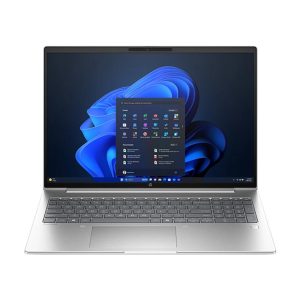
On laptops, the key component is the NPU, measured in trillions of operations per second (TOPS). Microsoft’s Copilot+ PC label, which unlocks Windows AI features such as live captions with translation and image tools, requires an NPU of at least 40 TOPS and 16GB of memory. Many current Intel Core Ultra, AMD Ryzen AI and Snapdragon X laptops meet that bar, while others have smaller NPUs that still accelerate some features. Apple’s Macs with Apple silicon run Apple Intelligence features on device.
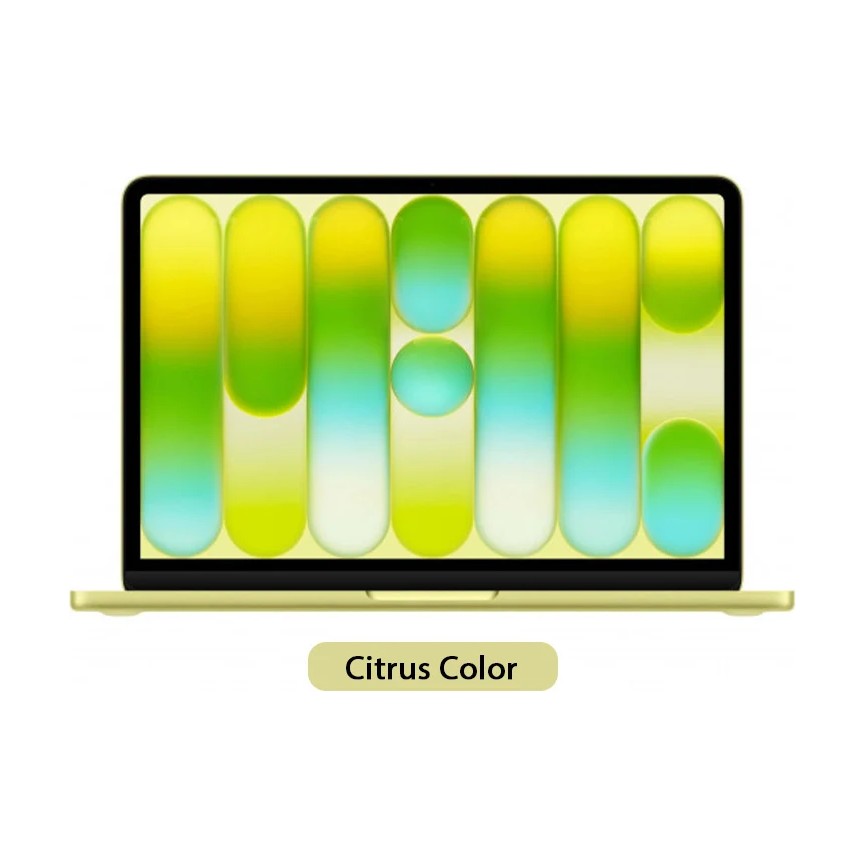
From our catalogue, the ASUS Zenbook 14 OLED with a Core Ultra 5 processor at Rs 486,000 and the HP ProBook 4 G1i with a Core Ultra 5 at Rs 472,000 include NPUs and 16GB of memory, and the Apple MacBook Neo at Rs 310,000 runs Apple’s on-device features with its A18 Pro chip. Check each model’s NPU rating against the features you want. Our article on AI PCs, NPUs and Copilot+ explains the ratings in detail.

Privacy: the biggest practical benefit
For many users, the main advantage of on-device AI is privacy. Transcribing a confidential meeting, summarising medical messages or searching personal photos on the device means that data is not sent to a company’s servers, stored in logs or used to train models. For businesses handling customer data, on-device processing can make AI tools easier to use within Sri Lanka’s data protection rules. Check each feature’s settings, though: some “AI” buttons quietly send data to the cloud, and many apps ask permission before doing so. Our guide to cloud data and the PDPA explains why that matters for businesses.
Battery, heat and storage
NPUs are designed to run AI tasks efficiently, using far less power than the main processor or graphics chip would for the same job, so occasional AI features have little effect on battery life. Heavy use, such as transcribing long recordings or generating images, does use more power and can warm the device. AI models also take storage space, sometimes several gigabytes, which is another reason to choose 256GB or more on a phone and 512GB or more on a laptop. Our guide to laptop battery care covers keeping batteries healthy.
Should AI features decide what you buy?
For most people in 2026, not on their own. Buy a phone or laptop for its screen, battery, build quality, performance, storage and price, then treat on-device AI as a useful extra. It becomes a deciding factor if you have a specific, regular use: transcribing interviews or lectures, translating conversations, or handling sensitive documents you prefer not to upload. With memory prices rising, AI-capable devices with 16GB of memory also cost more than they did, as our article on SSD and memory prices explains, so weigh the extra cost against what you will actually use.
Uses for small businesses
On-device AI is particularly useful for small businesses that handle private information but cannot afford enterprise AI contracts. A clinic receptionist can transcribe and summarise a phone message without uploading it. A lawyer or accountant can search years of documents on a laptop by meaning rather than file name. A shop owner can translate a customer’s message from Tamil or Sinhala on the spot, or tidy up product photos for social media in seconds. Sales staff can get a summary of a long email thread before a meeting while travelling without data. None of these needs a subscription, and none sends customer details abroad.
Set some ground rules all the same. Decide which features staff may use for customer information, keep devices encrypted and locked, and remember that summaries and transcriptions can contain mistakes, so check anything important before acting on it.
Software updates matter here too: manufacturers keep adding on-device features to existing phones and laptops, so keep devices updated to get them.
Getting started with the features you already have
Many people already own devices with on-device AI and have never switched it on. Look in your phone’s settings for AI or intelligence features, try transcription in the voice recorder app, the object eraser in the photo editor and summaries in the messages app. On a recent Windows laptop, look for live captions and Windows Studio Effects in the camera settings. Our team can help set up new devices and AI features safely with our PC and laptop setup service at Rs 3,500.


Frequently asked questions
What is on-device AI?
AI features that run on your phone or laptop’s own chips, without sending data to the cloud.
Does on-device AI work without internet?
Supported features do, such as transcription, some translation and photo edits. Advanced features may still use the cloud.
Is on-device AI more private?
Generally yes, because data stays on the device. Check settings, since some features send data to the cloud.
Do I need a Copilot+ PC?
Only for specific Windows AI features. Many tasks work fine with cloud AI on any laptop.
How much memory do AI features need?
Phones usually need at least 8GB; Copilot+ laptops need at least 16GB.
This article was originally published on eudora.lk.