When you sell, trade in or pass down an old phone or laptop, your photos, messages, saved passwords, banking apps and work files can go with it unless you wipe it properly. Second-hand devices change hands constantly in Sri Lanka, through shops, online marketplaces and family, and data recovery tools are cheap and easy to use. At the same time, wiping a device the wrong way can leave the buyer with a phone locked to your account that they cannot use. This guide gives a simple order to follow: back up, sign out, then wipe, with step-by-step checklists for Android phones, iPhones, Windows laptops and Macs, and what to do with old hard drives that no longer work.
Key points
- Always back up first, then sign out of accounts, then reset; doing it in the wrong order causes problems.
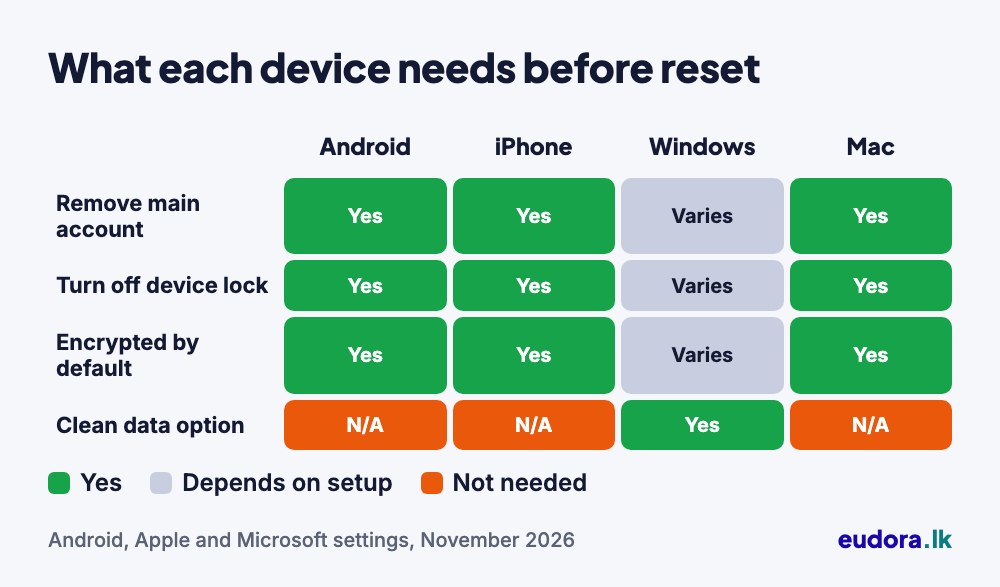
- On Android, remove your Google account before resetting, or Factory Reset Protection will lock the buyer out.
- On iPhone, sign out of your Apple ID and turn off Find My so Activation Lock is removed.
- Modern phones and laptops with encryption turned on are effectively wiped by a factory reset.
- Old hard drives and failed drives should be securely erased or physically destroyed, not just deleted.
The right order: back up, sign out, wipe
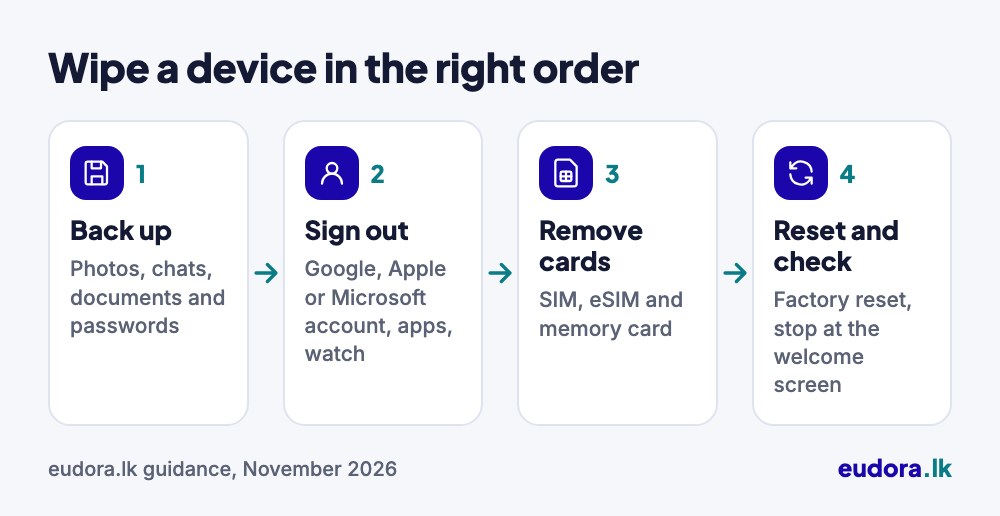
Most problems come from doing things in the wrong order. If you reset before backing up, the data is gone. If you reset before signing out, the device may still be tied to your account, which can lock out the buyer or leave you unable to remove it remotely. Follow the same three stages for every device.
Step 1: back up what you want to keep
Before wiping anything, make sure your photos, documents, messages and contacts are safe somewhere else. For phones, Google Photos, iCloud or OneDrive can hold photos, and WhatsApp’s chat backup goes to Google Drive on Android or iCloud on iPhone. Our phone photo backup guide walks through each option.
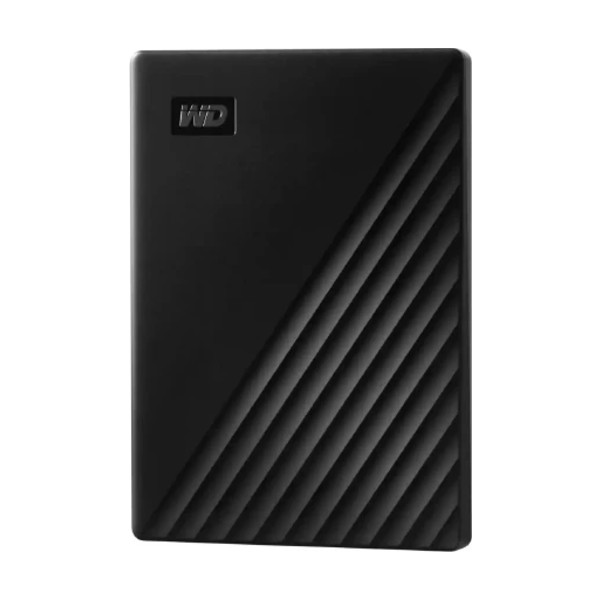
For laptops, copy your documents, desktop, downloads and pictures folders to an external drive or cloud storage. A portable drive such as the WD My Passport 2TB at Rs 41,500 holds a full laptop backup, and its hardware encryption keeps the copy private. A faster option for large files is the Transcend ESD270C 1TB portable SSD at Rs 67,900. For a few documents, a 128GB Kingston flash drive at Rs 3,600 is enough. Check that the backup opens on another device before moving on.
Tip: Export saved browser passwords to your password manager, or confirm they are synced to your account, before wiping. They are the item people most often forget.
Step 2: sign out and unlink
Signing out removes the device from your accounts, stops it receiving your messages and lets the new owner set it up as their own. Work through this list on each device:
- Messaging: move WhatsApp to your new phone using its transfer feature, or log out on the old one.
- Banking and payment apps: sign out and deregister the device where the app allows.
- Smartwatches and earbuds: unpair them from the old phone so they can pair with the new one.
- Two-factor authenticators: move authenticator app accounts to your new phone before wiping the old one; our two-factor authentication guide explains how.
- Main account: remove your Google account, Apple ID or Microsoft account, as described below.
- SIM and memory card: take them out and keep them.
Android phones and tablets
Android has a security feature called Factory Reset Protection. If a phone is reset while a Google account is still signed in, it asks for that account’s password during setup, which stops thieves from using stolen phones. It also stops honest buyers if you forget to remove your account first.
- Back up photos and WhatsApp, and move authenticator apps.
- Open Settings, then Passwords and accounts (or Accounts), select your Google account and choose Remove account. Remove any Samsung account as well on Samsung phones.
- Remove the SIM card and microSD card.
- Open Settings, then System, then Reset options, then Erase all data (factory reset). On Samsung, it is under General management, Reset.
- When the phone restarts at the welcome screen, switch it off. Do not sign in again.
Android phones from recent years are encrypted by default, so a factory reset makes the old data unreadable. Our memory card guide explains how to wipe a microSD card if you are giving that away too.
iPhone and iPad
Apple’s equivalent is Activation Lock, linked to Find My. If you do not sign out, the buyer cannot activate the phone at all.
- Back up to iCloud or a computer, and transfer WhatsApp and authenticator apps.
- Unpair any Apple Watch.
- Open Settings, tap your name, scroll down and choose Sign Out, entering your Apple ID password to turn off Find My.
- Open Settings, then General, then Transfer or Reset iPhone, then Erase All Content and Settings.
- Remove the SIM card, or delete the eSIM when prompted during the erase.
iPhones encrypt all data, so the erase destroys the key and the old data cannot be recovered. If you are selling to a shop that does the erase, still sign out of your Apple ID yourself first.
Windows laptops and desktops
Windows 11 has a built-in reset that can wipe the drive and reinstall Windows, ready for the next owner. The licence stays with the computer, so the buyer gets a working, activated system.
- Back up files to an external drive or OneDrive, and note any software licences you want to move.
- Sign out of Microsoft 365 and deactivate software licences that are tied to a number of computers.
- If the laptop uses BitLocker, leave it on; it makes the wipe more secure.
- Open Settings, then System, then Recovery, then Reset this PC. Choose Remove everything, then Change settings and turn on Clean data.
- Let it finish and stop at the first setup screen, so the buyer creates their own account.
The Clean data option overwrites the drive, which takes longer, from about an hour on an SSD to several hours on a large hard drive, but it is what makes old files unrecoverable. Without it, Windows only marks files as deleted. If you are buying a used laptop, our used laptop checklist explains what to check from the other side.
Mac computers
Macs with Apple silicon or the T2 security chip can be wiped quickly. Back up with Time Machine, sign out of iCloud and the App Store, and unpair Bluetooth devices. Then open System Settings, then General, then Transfer or Reset, then Erase All Content and Settings. This removes your data, apps and settings and turns off Activation Lock. Older Macs without that option need to be erased and reinstalled from macOS Recovery.
Old and failed hard drives
Drives you remove from old computers or CCTV recorders need care too. A working hard drive can be overwritten with the drive maker’s tool or a free secure-erase program before you reuse or recycle it. SSDs should be wiped with the manufacturer’s secure-erase or sanitise tool, because ordinary overwriting does not reliably reach every part of an SSD. A drive that has failed and cannot be wiped should be physically destroyed, by drilling through the platters of a hard drive or breaking the memory chips on an SSD, before disposal. A USB enclosure such as the UGREEN US221 at Rs 4,200 lets you connect a 2.5-inch drive to a laptop to wipe it. Our hard drive health guide covers the warning signs of failing drives.
| Device or drive | Best wipe method | Typical time |
|---|---|---|
| Android phone | Remove Google account, then factory reset | 5 to 15 minutes |
| iPhone or iPad | Sign out of Apple ID, then Erase All Content and Settings | 5 to 15 minutes |
| Windows laptop with SSD | Reset this PC with Clean data | About 1 to 2 hours |
| Windows PC with large hard drive | Reset this PC with Clean data | Several hours |
| Mac with Apple silicon or T2 | Erase All Content and Settings | Minutes |
| Loose SSD | Manufacturer secure-erase tool | Minutes |
| Failed drive | Physical destruction | Minutes |
Warning: Businesses should keep a simple record of which devices were wiped, how and when. Customer and staff data on old equipment counts under Sri Lanka’s data protection rules; our PDPA guide explains why.
-
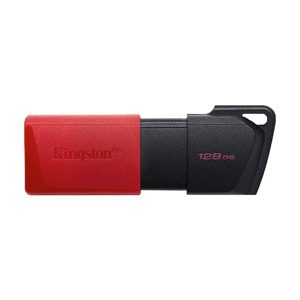 Kingston
 DataTraveler Exodia M 128GB USB 3.2 Flash Drive
Rs 3,600
Add to cart
-
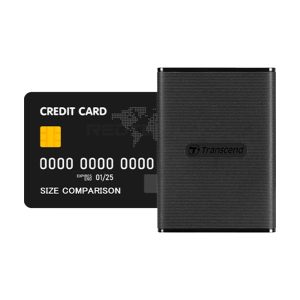 Transcend
 ESD270C 1TB Portable SSD – USB-C 10Gbps
Rs 67,900
Add to cart
-
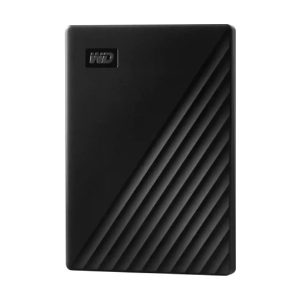 Western Digital
WD My Passport 2TB Portable Hard Drive – USB 3.2, Hardware Encryption
Rs 41,500
Add to cart
-
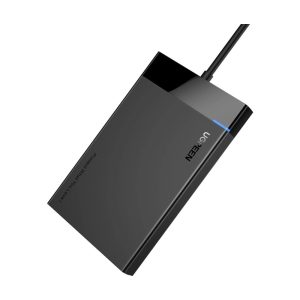 UGREEN
 US221 2.5-inch SATA Hard Drive Enclosure – USB 3.0
Rs 4,200
Add to cart
Handing the device over
Before handing over, check the device starts at the welcome screen with no account signed in, the SIM and memory card are out, and any accessories you are including are wiped too, such as a smartwatch. Give the buyer the charger and the box if you have them, and keep a note of the serial number with the date of sale. If you would prefer a technician to back up and wipe a laptop properly, our PC setup service at Rs 3,500 covers it, and our IT support team can handle a batch of office devices.
Frequently asked questions
Is a factory reset enough to delete my data?
On modern phones and encrypted laptops, yes. On older Windows laptops without encryption, use Reset this PC with Clean data turned on.
Why does a reset phone ask for my Google account?
Factory Reset Protection was still active because the account was not removed first. Sign in to remove it, then reset again.
Do I need to remove my SIM card?
Yes. Your SIM holds your number, and an eSIM should be deleted during the erase.
How do I wipe a laptop that will not start?
Remove the drive and wipe it from another computer using an enclosure, or destroy it if it has failed.
Should I remove the device from my Google or Apple account online too?
Yes. Check your account’s device list afterwards and remove the old phone or laptop if it still appears.
This article was originally published on eudora.lk.