Every office network has a heart: the place where internet comes in, cables from every desk and camera meet, and the router, switch and recorder sit. In too many small businesses it is a shelf in a store room with a tangle of cables, a router balanced on a switch, a hot DVR in a cardboard box and a power strip nobody dares unplug. It works until something fails, and then nobody can tell which cable goes where. A proper network rack or cabinet fixes that. It keeps equipment cool, secure and labelled, makes faults quicker to find and moves are easier to make. This guide explains rack sizes, wall-mount versus floor cabinets, what to put inside, and how to plan power, airflow and labelling for a small office.
Key points
- Racks are measured in rack units (U): 1U is 44.45mm of height, and equipment is 19 inches wide.
- Most small offices need a wall-mount cabinet of 6U to 12U; larger offices with servers need a floor cabinet of 22U or more.
- Choose about 50 percent more space than you need today, because equipment always grows.
- A patch panel, switch, cable manager, UPS and power distribution unit form the core of a tidy rack.
- Ventilation, a lockable door and clear labels matter as much as the hardware.
Rack units and sizes explained
Network equipment follows a common standard. The mounting rails inside a rack are 19 inches (482.6mm) apart, and height is counted in rack units. One rack unit, written 1U, is 44.45mm. A typical 24-port switch or patch panel is 1U high; a UPS designed for racks is often 2U; a small server may be 1U or 2U. A shelf for non-rackable devices such as a router or DVR usually takes 1U or 2U of space.
| Cabinet | Typical heights | Typical depth | Suits |
|---|---|---|---|
| Small wall-mount | 4U to 6U | 300 to 450mm | Shops and offices up to about 10 network points |
| Large wall-mount | 9U to 15U | 450 to 600mm | Offices of 10 to 40 points, CCTV recorders |
| Floor-standing | 22U to 42U | 600 to 1,000mm | Servers, many switches, larger buildings |
| Open frame | Any | Any | Locked dedicated rooms only |
Depth matters as much as height. Switches and patch panels are shallow, but a rack-mount UPS or server can be 450mm to 700mm deep. Measure the deepest item you plan to install and choose a cabinet with at least 100mm to spare for cables and airflow behind it.
Wall-mount or floor cabinet?
For most small offices and shops, a wall-mount cabinet is the right choice. It saves floor space, keeps equipment out of reach of floods and cleaning, and can be mounted high in a store room or above a desk. The Red-Link 5U wall-mount rack, at Rs 14,500, has a glass door and room for a patch panel, a switch, a cable manager and a shelf for the router. Wall cabinets need a solid wall and proper anchors, because a loaded cabinet with a UPS is heavy.
Choose a floor-standing cabinet when you have servers, more than two switches, a rack-mount UPS larger than about 1.5kVA, or more than 40 network points. Floor cabinets have room for proper cable management, front and rear access and better airflow. For CCTV-only installations, a small DVR cabinet such as the Red-Link 3U DVR safety cabinet at Rs 2,500 protects the recorder from tampering.
What goes inside, from top to bottom
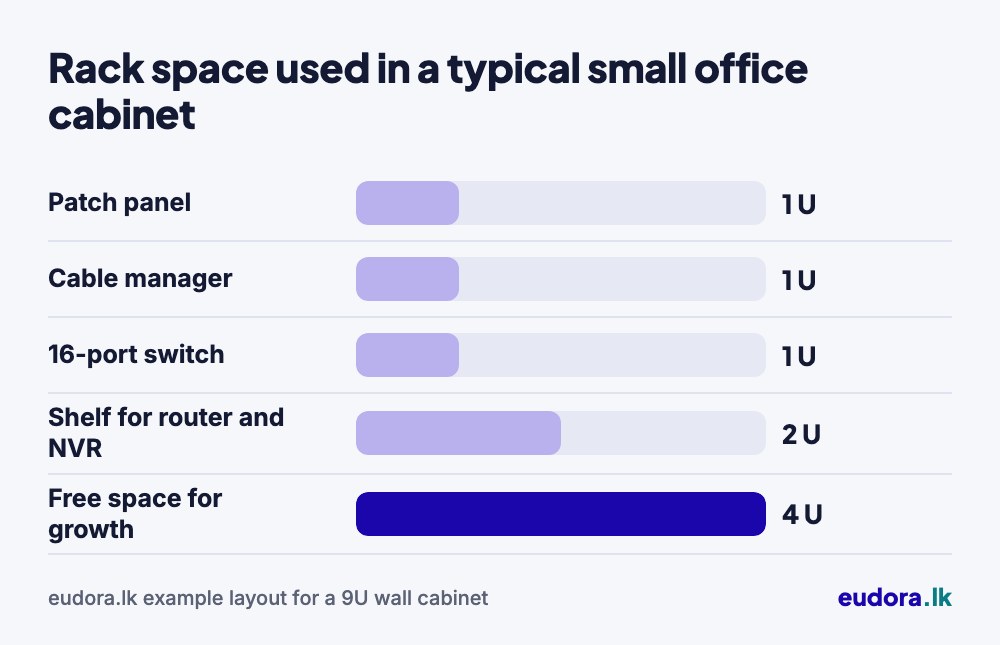
A good rack follows a logical order, so cables run short distances and anyone can understand it at a glance. A common layout for a small office cabinet is shown below.
| Position | Equipment | Purpose |
|---|---|---|
| Top | Patch panel | Every wall socket’s cable ends here, labelled to match |
| Below the panel | Cable manager | Brush or ring panel that guides short patch cords neatly |
| Middle | Network switch (PoE if cameras or access points) | Connects every device to the network |
| Shelf | Router, internet modem, NVR or DVR | Internet connection and CCTV recording |
| Bottom | UPS and power distribution unit | Clean, protected power for everything above |
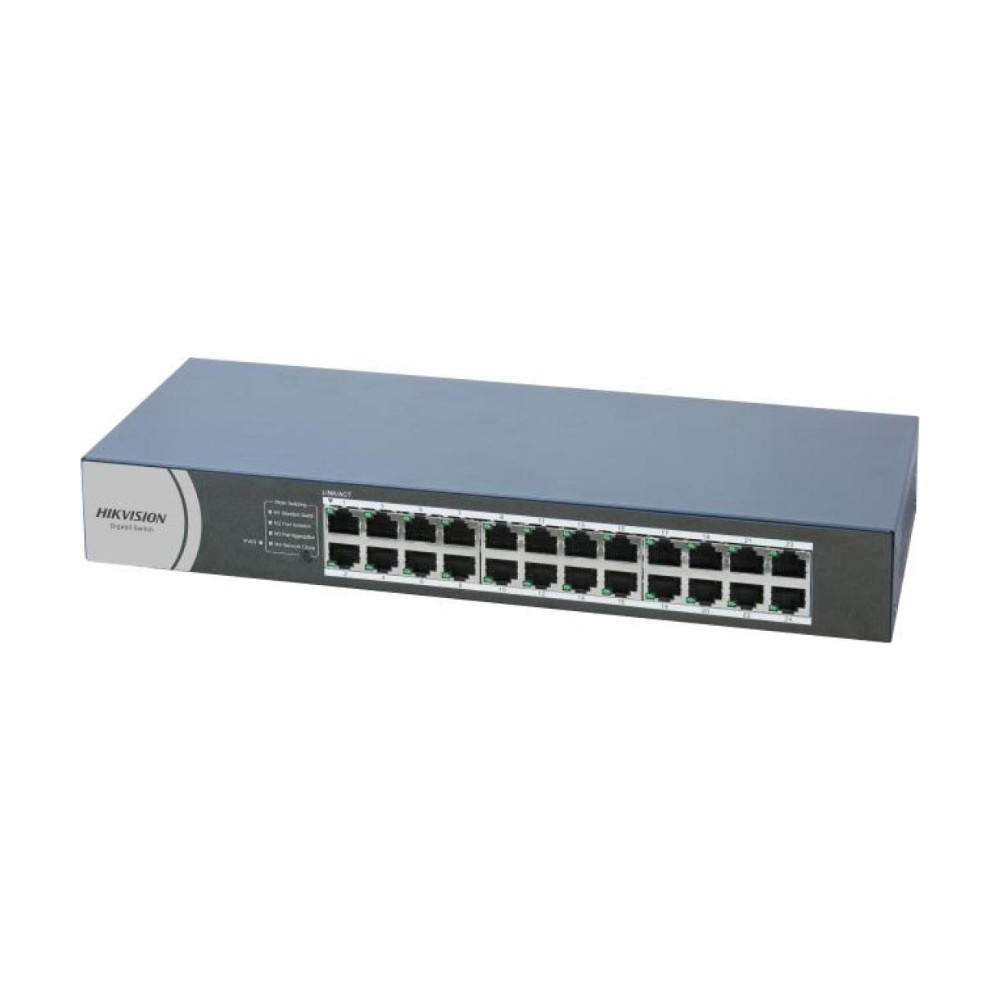
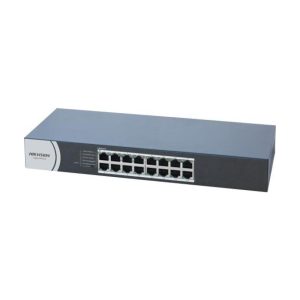
Putting the UPS at the bottom keeps the heaviest item low, which makes the cabinet more stable. Switches with 16 or 24 ports, such as the Hikvision 16-port gigabit switch at Rs 19,700 or the 24-port model at Rs 24,100, are designed to mount in 19-inch racks. For IP cameras and Wi-Fi access points, a PoE switch such as the Hikvision 16-port PoE switch at Rs 52,200 powers them through the network cable. Our PoE switch guide explains power budgets.
Patch panels and cable management
A patch panel is the difference between a tidy rack and a mess. Instead of plugging long cables from the walls straight into the switch, each permanent cable from a wall socket is terminated on the back of a numbered port on the patch panel. Short patch cords then connect each panel port to the switch. When someone moves desks, you move a short cord in the rack instead of re-running cable through the ceiling. Use solid copper Cat6 for the permanent runs and stranded patch cords in the rack; our guide to Cat5e, Cat6 and Cat6a explains the difference.
- Use the shortest patch cords that reach: 0.3m to 1m cords keep the front of the rack clear.
- Colour code: for example blue for desks, yellow for cameras, red for internet and green for Wi-Fi access points.
- Leave a service loop of permanent cable behind the panel for future re-termination.
- Separate power and data: run power cords down one side of the rack and data cables down the other.
Power, UPS and earthing
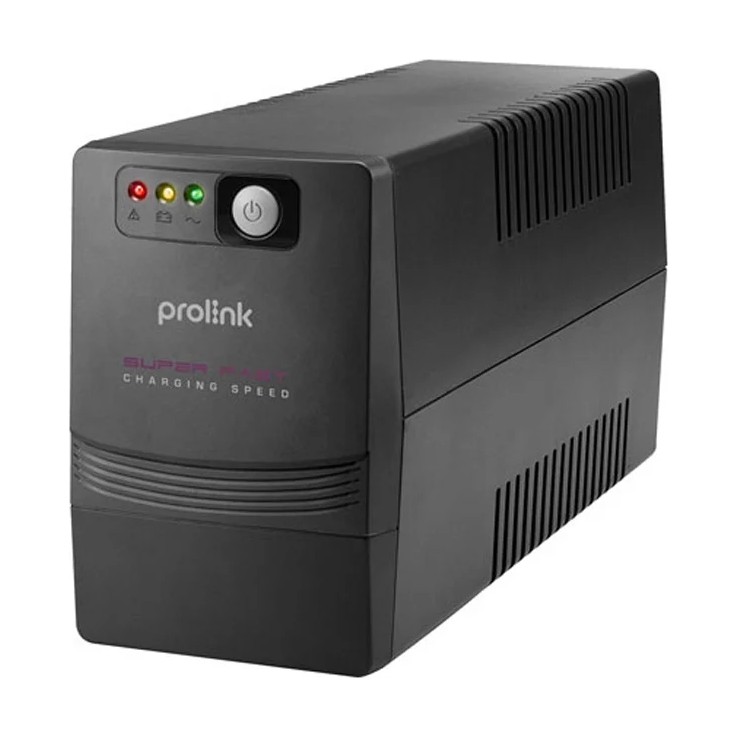
Network equipment does not draw much power, but it needs to keep running. A UPS at the bottom of a floor cabinet, or on a shelf or the floor beside a small wall cabinet, keeps the router, switch and recorder running through power cuts, so phones, Wi-Fi calling and cameras keep working. For a small office rack with a router, a 16-port switch and an NVR, a 1.2kVA line-interactive UPS such as the PROLiNK PRO1201SFC at Rs 23,000 gives a useful runtime. It is a tower unit, so in a small wall cabinet it sits beneath the cabinet with its outputs feeding the PDU. With PoE cameras or access points, add their power to the calculation; our UPS buying guide explains sizing.
A rack-mount power distribution unit (PDU) with a switch and surge protection is tidier and safer than a household extension board. Earth the cabinet to the building’s protective earth, especially when outdoor cameras or long cables connect to it, because lightning-induced surges look for the shortest path to ground. Our article on surge protectors, UPS units and voltage regulators explains which protection does what.
Airflow and heat
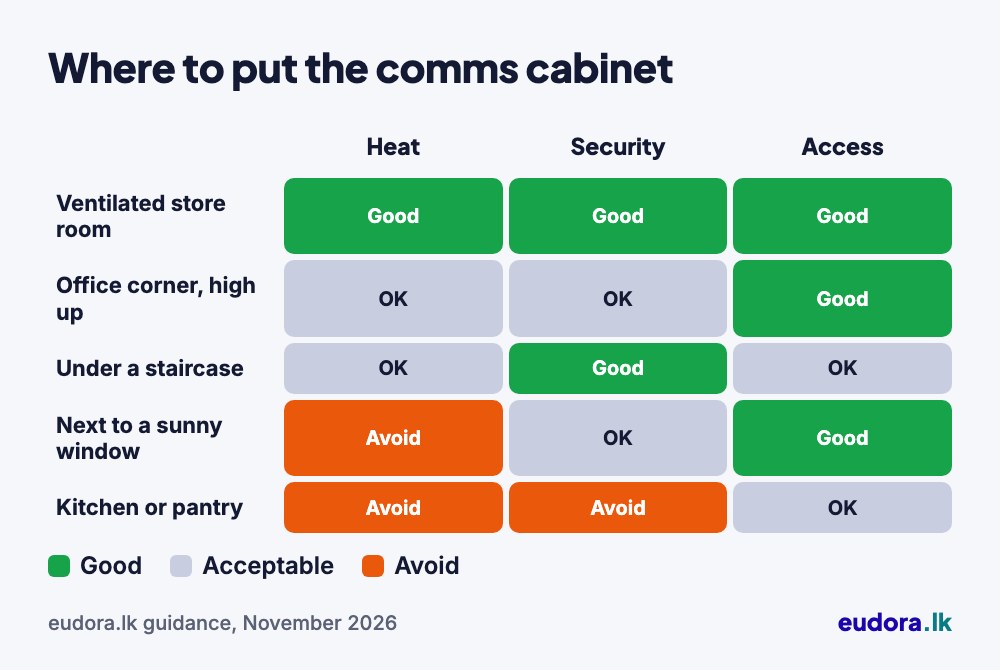
Heat is the most common cause of early failure in small comms cupboards. Switches, recorders and UPS units all produce heat, and a closed cabinet in an unventilated store room can easily reach 40°C or more in the afternoon. Electronics last longer below about 30°C. Choose a cabinet with vented sides or a roof fan, leave a gap above and below hot devices, and keep the cabinet away from windows that get direct sun. If the room is hot, a small exhaust fan in the room or a split air conditioner set to a moderate temperature is worth considering for a business that relies on its network.
Labelling and documentation
Labels are what make a rack useful when something goes wrong. Number every wall socket and the matching patch panel port, label both ends of every patch cord, and label the switch ports used for important devices such as the router uplink, NVR and Wi-Fi access points. Keep a simple floor plan showing socket numbers inside the cabinet door, along with the internet provider’s support number and account reference. When a fault happens at 8am, the person on site can follow the labels instead of guessing.
Tip: Take a photo of the rack after every change and save it in a shared folder. It makes remote troubleshooting much faster.
A typical small office rack
For a 10 to 15 person office with Wi-Fi access points and a few wired desks, a common setup is a 5U to 9U wall cabinet with a patch panel, a 16-port gigabit switch, a shelf for the router and a 1.2kVA UPS. The core of that setup, the Red-Link 5U rack, Hikvision 16-port switch and PROLiNK 1.2kVA UPS, comes to Rs 57,200. For an office with IP cameras, swapping in the Hikvision 16-port PoE switch brings the core to Rs 89,700. Cabling is extra; our structured cabling service is Rs 3,900 per network point. See our networking services for a site survey.
-
 PROLiNK
 PRO1201SFC 1.2kVA Line-Interactive UPS
Rs 23,000
Add to cart
-
 Hikvision
 DS-3E0318P-E/M 16-Port PoE Switch
Rs 52,200
Add to cart
-
 Hikvision
 DS-3E0516R-O 16-Port Gigabit Network Switch
Rs 19,700
Add to cart
-
 Red-Link
 5U Wall-Mount Network Rack, Glass Door (600 × 300 × 425mm)
Rs 14,500
Add to cart
Tidying an existing cupboard
If your comms cupboard is already a tangle, you do not need to replace everything at once. Start by photographing it, then label every cable you can identify while the network is running. Plan a short evening or weekend window, mount a cabinet, move equipment in, and re-patch with short labelled cords. Test every desk, printer and camera afterwards. Our office network health check at Rs 9,900 includes a review of the comms cupboard and a written list of fixes, and our small office IT checklist covers the rest of the setup.
Frequently asked questions
What size network rack do I need?
Count the rack units of your equipment, add shelves for non-rack devices, then add about 50 percent for growth. Most small offices need 6U to 12U.
Is a wall-mount cabinet strong enough for a UPS?
For small UPS units, yes, if the wall is solid and the cabinet is properly anchored. Larger rack-mount UPS units belong in a floor cabinet.
Do I need a patch panel?
For more than a handful of network points, yes. It makes moves, testing and fault finding much easier.
Does a rack need a fan?
In a warm room or a closed cabinet with a switch, recorder and UPS, a fan helps a lot. Keep the room below about 30°C if you can.
Can I put the CCTV recorder in the network rack?
Yes, on a shelf. It keeps the recorder secure, on the UPS and close to the PoE switch.
This article was originally published on eudora.lk.