Opening a new office, or moving an existing one, involves dozens of IT decisions that are easy to overlook until something stops working on the first Monday. Is the internet connection ready? Does every desk have a network point? Who sets up email, and where are files backed up? What happens during a power cut? Planning these things in advance avoids lost days and expensive fixes later. This checklist covers what a small office of five to twenty people needs, in the order to tackle it, with typical costs at eudora.lk and links to more detailed guides.
Key points
- Order the internet connection early; installation can take days or weeks, and a backup connection is worth having.
- Plan wired network points for every desk, printer and access point before furniture and partitions go in.
- Use business email and shared cloud storage from the start, with multi-factor authentication on every account.
- Back up automatically, protect equipment with UPS units, and keep a simple record of passwords, licences and suppliers.
- Decide who supports the IT before something breaks, whether a staff member, a support contract or both.
The checklist at a glance
| Area | What to do | When |
|---|---|---|
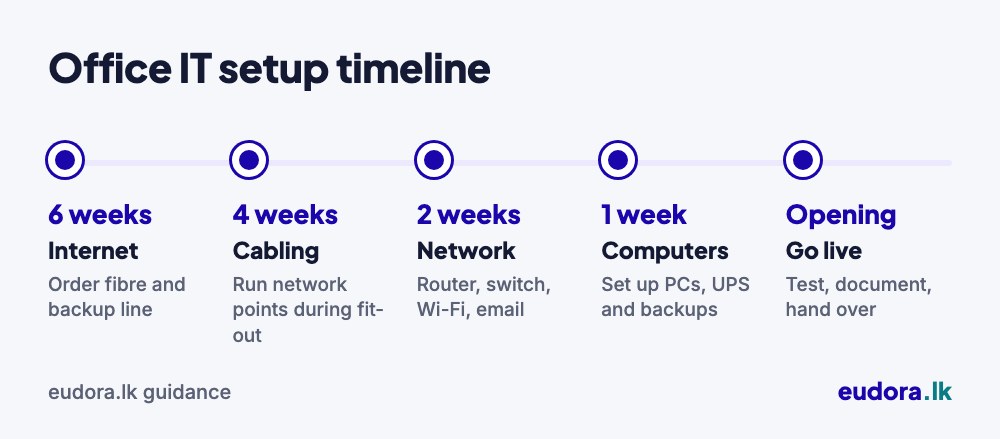
| Internet | Order main fibre line; consider a 4G or second-provider backup | 4 to 6 weeks before opening |
| Cabling | Network points for desks, printers, access points and cameras | Before fit-out is finished |
| Network | Router or firewall, switch, Wi-Fi access points, guest network | 2 weeks before |
| Computers | Laptops or desktops, monitors, keyboards, docks | 2 weeks before |
| Email and files | Business email, shared storage, multi-factor authentication | 2 weeks before |
| Power | UPS for network and key desks; surge protection | Before go-live |
| Backups | Automatic backups for files and email | Before go-live |
| Security | Antivirus, updates, passwords, CCTV and access control | Before go-live |
| Support | Support contract or named person; documentation | Before go-live |
1. Internet connection
Order the main connection as soon as the lease is signed. Fibre is the first choice wherever it is available, with speeds that comfortably handle video calls and cloud software for a small team. Ask about business plans with a static IP address if you will host anything or need remote access. A backup connection, such as a 4G router on a different provider, keeps the office working when the main line fails; for many businesses even a few hours offline costs more than a year of backup service. Our article on 5G in Sri Lanka covers mobile options.
2. Cabling and network points
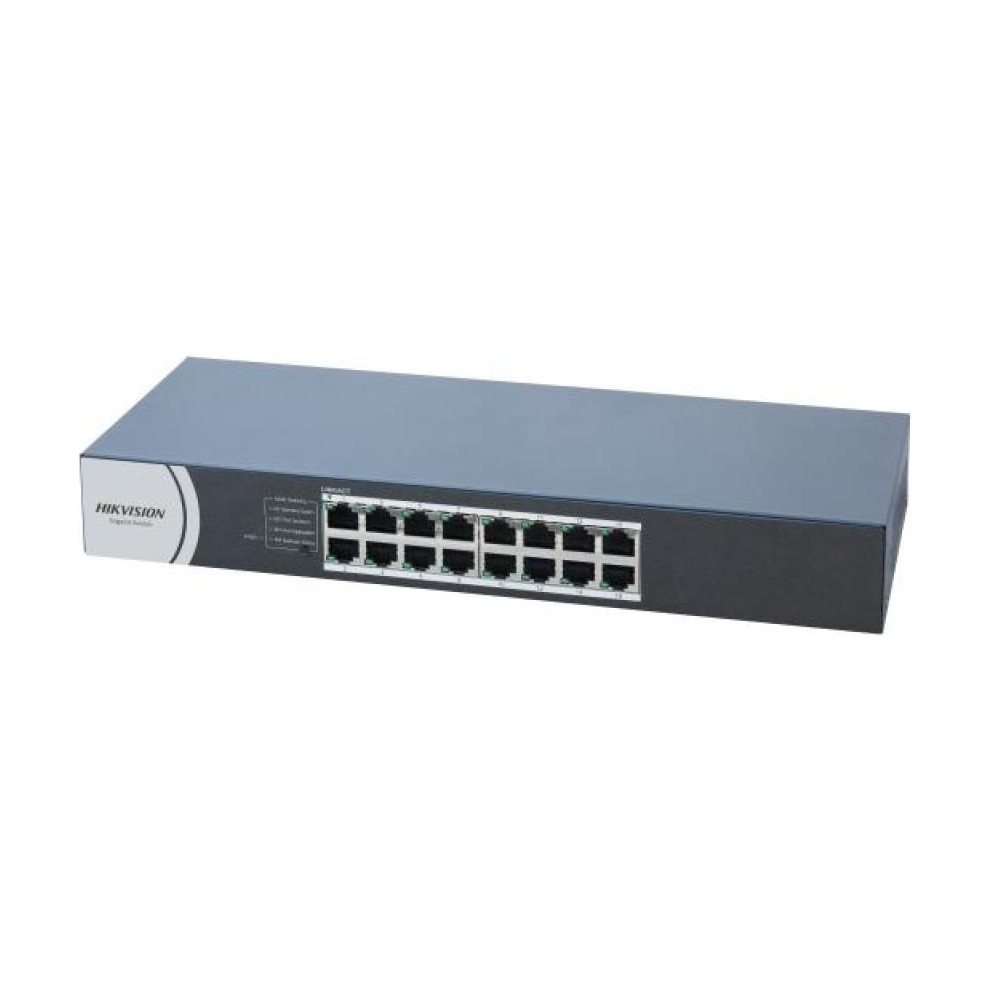
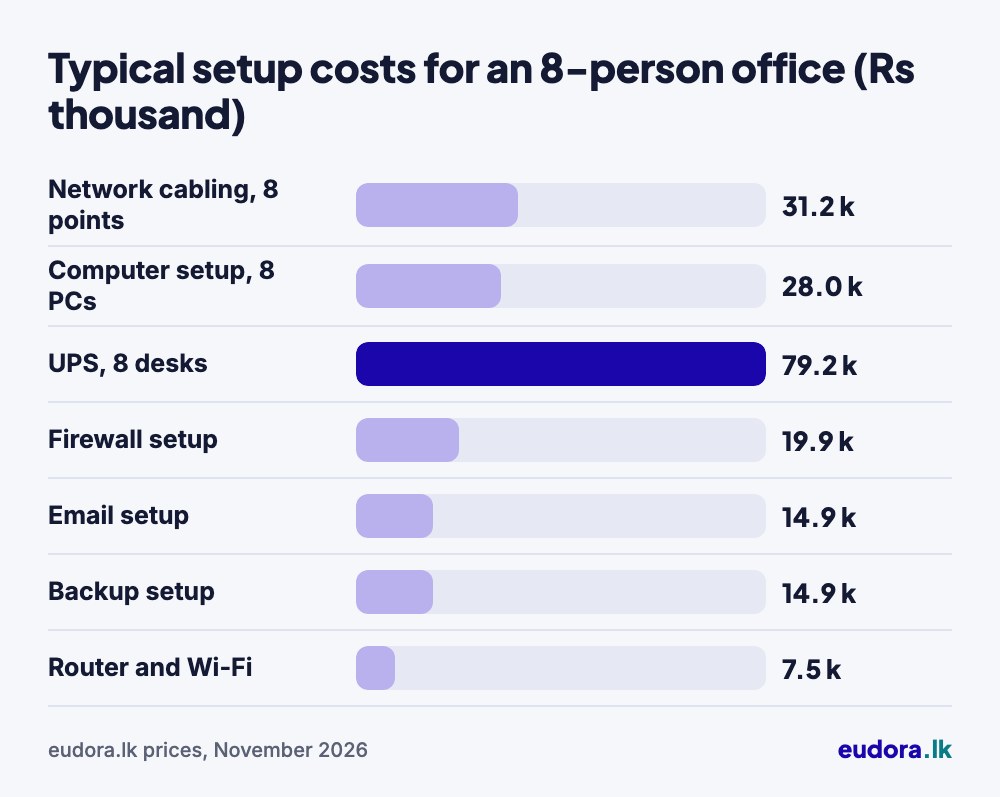
Wired network points are the foundation of a reliable office. Plan at least one point per desk, plus points for each printer, Wi-Fi access point, IP camera and meeting room screen. It is far cheaper to run cables while the office is empty than after desks and partitions are in. Eight structured network points cost Rs 31,200 at our standard rate. Run all cables to a small rack or cabinet with a switch; our PoE switch guide explains which switch to choose, including PoE ports for cameras and access points.
3. Router, Wi-Fi and guest network
The internet provider’s router is often adequate for a home but limited for an office. A business router or firewall gives better control, a separate guest network for visitors, and secure remote access. Ceiling or wall-mounted Wi-Fi access points, connected by cable, give far better coverage than a single router in a corner. Keep the guest network separate from office computers and printers. Our router and Wi-Fi setup service costs Rs 7,500.
4. Computers and desks
Choose computers that match the work: business laptops for staff who move between home, office and clients, and desktops for fixed desks. Standardising on one or two models simplifies support and spare parts. Give laptop users a dock, monitor, keyboard and mouse at their desk so they are not hunched over a small screen all day. Our laptop buying guide, guide to hubs and docks and ergonomics guide cover the details. Professional setup, with updates, security software and user accounts, costs Rs 3,500 per computer, or Rs 28,000 for eight.
5. Email, files and accounts
Use business email on your own domain from day one, through Microsoft 365 or Google Workspace. Both include shared file storage, calendars and video calls, and both let you manage accounts centrally, so when someone leaves you can remove their access and keep their files. Turn on multi-factor authentication for every account; it blocks the large majority of account takeovers. Setup of Microsoft 365 or Google Workspace costs Rs 14,900.
6. Power and protection
Power cuts and voltage fluctuations are a fact of life in Sri Lanka. Put the router, switch and any server on a UPS so the network stays up through short cuts, and give key desktops their own small UPS. Eight AWP AID650 line-interactive units, one per desk, cost Rs 79,200. Our comparison of online and line-interactive UPS units explains which type suits the network cabinet.
7. Backups
Cloud services keep files available, but they are not a complete backup: deletion, ransomware and account problems can still lose data. Set up automatic backups of shared files and email, following the 3-2-1 rule of three copies, on two types of storage, with one off-site. Our backup guide explains how, and our backup setup service costs Rs 14,900.
8. Security
- Install security software and turn on automatic updates on every computer.
- Use a password manager and unique passwords; never share accounts.
- Change default passwords on routers, cameras, printers and terminals.
- Train staff to spot phishing emails and suspicious payment requests.
- Fit CCTV at entrances and an alarm for after-hours protection.
- Control access to the office and server cabinet.
Our guides to online scams in Sri Lanka, access control and attendance and wireless alarms cover these areas. A firewall and secure network setup costs Rs 19,900.
Printers and meeting rooms
Printers cause a surprising share of small office support calls. Connect shared printers by cable to the network rather than by USB to one computer, give each a fixed address, and add them to every computer during setup. A single good multifunction printer for the office usually costs less to run than several small desk printers. In meeting rooms, plan a network point and power behind the screen, a simple way for visitors to present from their own laptops, and a webcam and speakerphone sized for the room, so video calls do not depend on someone’s laptop microphone at the end of the table.
Moving an existing office
A move is the best chance to fix long-standing problems, but it needs careful timing. Take an inventory of all equipment, accounts and services before the move, and photograph how the network cabinet is wired. Arrange for the internet line at the new office to be live a few days before the move, not on the day. Move the network equipment and servers last at the old office and first at the new one, test everything over a weekend, and keep a short list of known issues for the first week. Tell the bank, suppliers and customers about any change of phone numbers or addresses in good time.
9. Support and documentation
Decide who looks after the IT before something breaks. In a small office this is often one staff member backed by an external support provider. Keep a simple record of the internet account, router and Wi-Fi passwords, software licences, supplier contacts and which equipment is under warranty, stored securely and shared with at least two people. A support contract gives predictable costs and faster help: our basic IT support plan costs Rs 9,900 a month and the standard plan Rs 19,900.
Review the setup once a year. Check that backups still restore, that leavers’ accounts are closed, that UPS batteries still hold a charge and that the documentation matches what is actually installed.
Typical costs
| Item | Typical cost |
|---|---|
| Router and Wi-Fi setup | Rs 7,500 |
| Network cabling, 8 points | Rs 31,200 |
| Computer setup, 8 PCs | Rs 28,000 |
| Microsoft 365 or Google Workspace setup | Rs 14,900 |
| Backup system setup | Rs 14,900 |
| Firewall and secure network | Rs 19,900 |
| UPS, 8 desks | Rs 79,200 |
Network, email and backup setup together come to Rs 37,300, before hardware and licences. Our IT support team can plan and deliver the whole setup, or any part of it.
Frequently asked questions
How early should I order internet for a new office?
As soon as the lease is signed. Installation can take days to weeks depending on the provider and location.
Do I need wired network points if we have Wi-Fi?
Yes. Wired points give the most reliable connection for desks, printers and cameras, and Wi-Fi access points themselves need cables to work well.
Is Microsoft 365 or Google Workspace better for a small office?
Both work well. Microsoft 365 suits teams that rely on Word and Excel files; Google Workspace suits teams that work mainly in the browser.
Do cloud services count as a backup?
Not on their own. Add a separate backup so deleted or encrypted files can be restored.
Do we need an IT support contract?
Not always, but it gives predictable costs and faster help. Many small offices combine a staff member with an external provider.
This article was originally published on eudora.lk.