Electricity bills in Sri Lanka went up again in 2026, and many households are looking at every appliance to see where the units go. Air conditioners, water heaters and refrigerators are the obvious big users, but a modern home also has a Wi-Fi router, CCTV system, computers, a TV, set-top box and chargers running for many hours a day, some of them around the clock. Individually they are small; together they can add a noticeable number of units, and because domestic rates rise in blocks, the last units each month are the most expensive. This guide shows how to work out what each device really uses, which ones matter, and practical ways to cut the total without giving up security or internet.
Key points
- One unit on your bill is one kilowatt-hour: a 100-watt device running for 10 hours.
- Devices that run 24 hours a day, such as routers, CCTV and set-top boxes on standby, add up more than their small wattage suggests.
- A typical router and four-camera CCTV system together use around 25 units a month.
- A desktop tower used all day uses three to four times as much as a laptop or mini PC doing the same work.
- Because domestic rates rise by block, saving units at the top of your monthly use saves the most money.
Units, watts and hours
Your CEB or LECO bill counts units, and one unit is one kilowatt-hour (kWh). To work out how many units a device uses in a month, multiply its power in watts by the hours it runs each day, multiply by 30 days, and divide by 1,000.
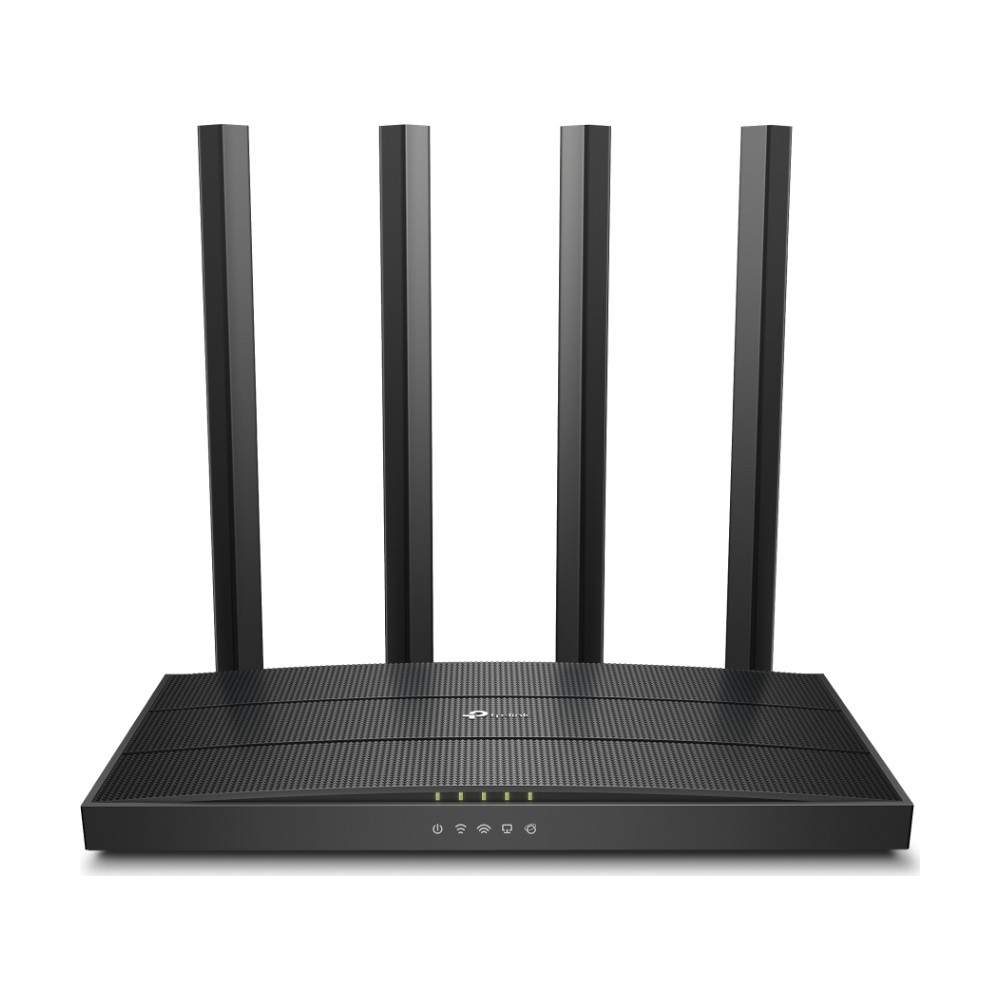
For example, a Wi-Fi router drawing 10 watts all day and night uses 10 × 24 × 30 ÷ 1,000 = 7.2 units a month. A desktop computer drawing 90 watts for 8 hours a day uses 90 × 8 × 30 ÷ 1,000 = 21.6 units. The label on a device or its charger shows its maximum power, which is usually much higher than what it draws in normal use, so a plug-in power meter gives a more accurate figure.
Tip: A plug-in energy meter, or a smart plug with energy monitoring, shows the real watts and the units used over a week. Measure each device for a few days and you will know exactly where your units go.
How much common home tech uses
| Device | Typical power | Hours per day | Units per month |
|---|---|---|---|
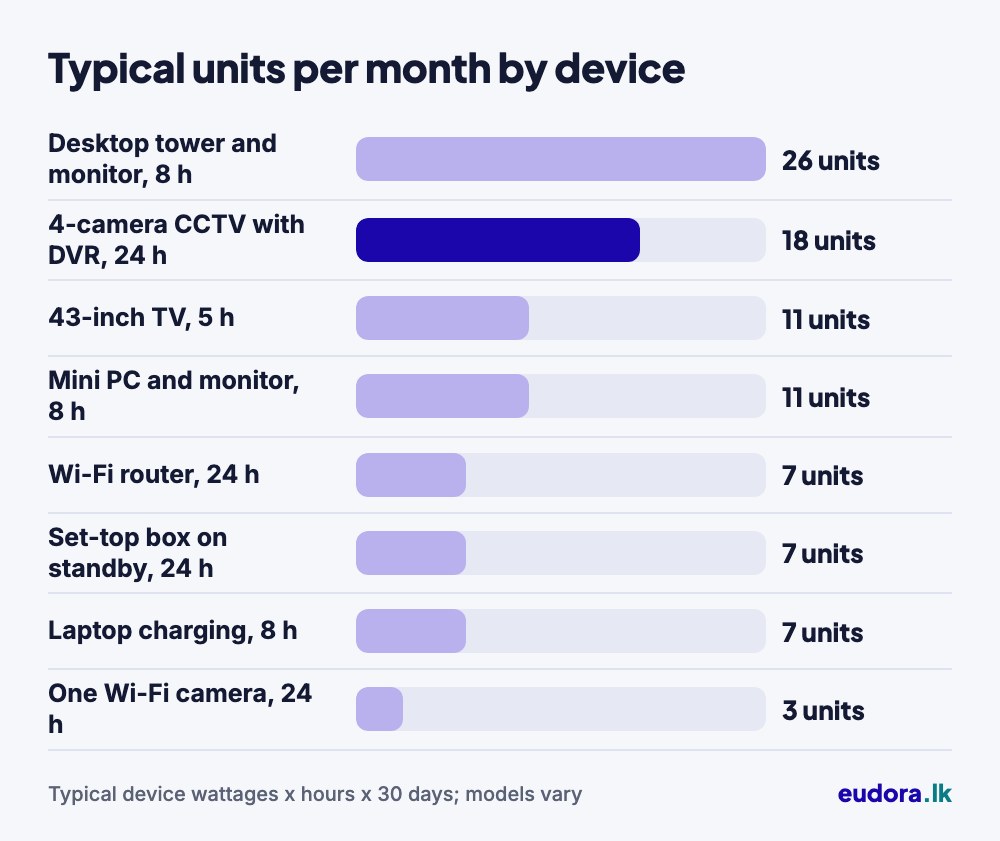
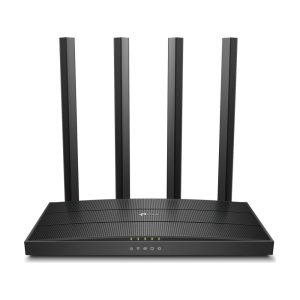
| Wi-Fi router | 8 to 12 W | 24 | About 7 |
| 4-camera wired CCTV with DVR | 20 to 30 W | 24 | About 18 |
| One Wi-Fi camera | 3 to 5 W | 24 | About 3 |
| Desktop tower and monitor | 90 to 130 W | 8 | About 26 |
| Mini PC and monitor | 40 to 50 W | 8 | About 11 |
| Laptop while charging | 20 to 45 W | 8 | About 7 |
| 43-inch LED TV | 60 to 90 W | 5 | About 11 |
| Set-top box left on standby | 8 to 15 W | 24 | About 7 |
| Phone charging, two phones | 10 to 20 W | 3 | About 1.5 |
These are typical figures for each kind of device; your own will vary with the model, settings and how hard it works. They give a realistic picture of the proportions.
Always-on devices add up
The surprising entries are the devices that never switch off. A router, CCTV system, set-top box on standby and a couple of smart speakers can easily total 35 to 45 units a month between them, every month, whether anyone is home or not. That is comparable to a modern inverter refrigerator.
Some of these should stay on: the router and CCTV are the point of the exercise, and you would not want security cameras switching off at night. The savings come from choosing efficient equipment and switching off what does not need to run. A set-top box, games console or old desktop speakers left on standby use units for nothing; a switched power strip turns them off properly.
Old equipment is often the worst offender. A ten-year-old desktop kept as a family media server, an old router left running as an extra access point, or a second set-top box in a bedroom can each use as many units as a new device doing the same job twice over. If an old device is only kept “just in case”, unplug it and see whether anyone notices in a month.
CCTV: efficient choices
A wired CCTV system’s power comes mainly from the cameras’ infrared lights at night and the recorder’s hard drive and processor. Smart hybrid light and ColorVu cameras switch on visible light only when needed. Modern DVRs and NVRs are more efficient than models from ten years ago, so replacing a very old recorder can cut its share noticeably.
Wi-Fi cameras that record to a memory card use very little power, around 3 to 5 watts each, and battery cameras with a small solar panel use none from the mains at all. Our guide to solar panels for battery cameras explains how that works, and our CCTV maintenance checklist covers keeping recorders cool and efficient.
Computers: the biggest controllable use
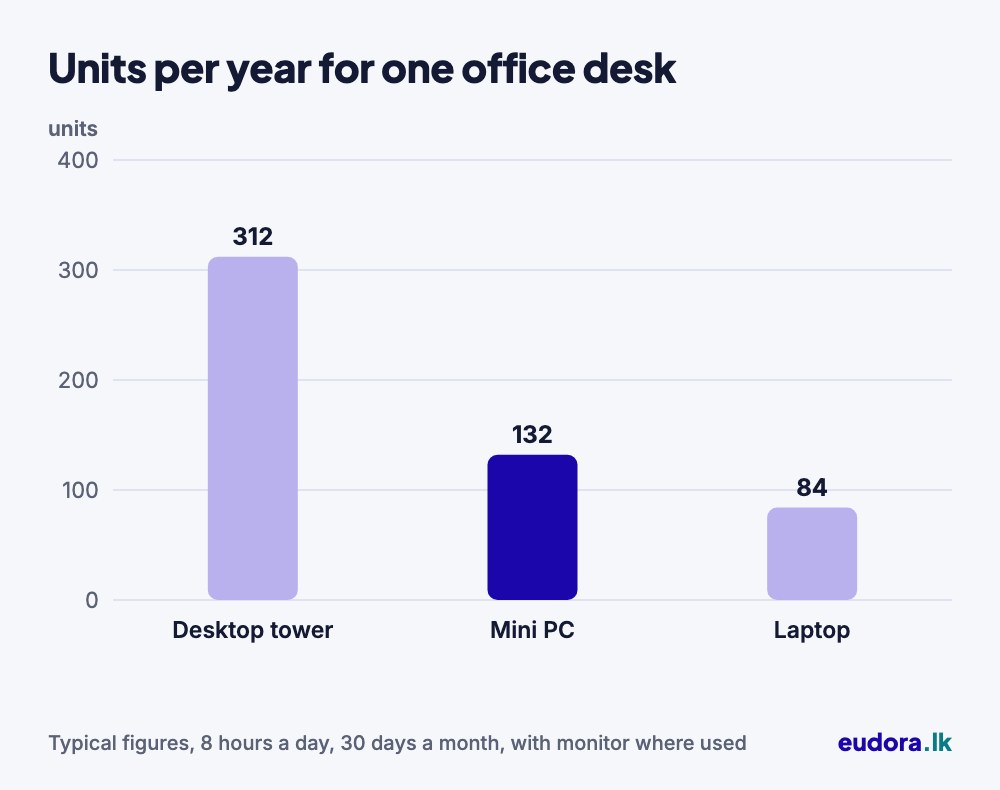
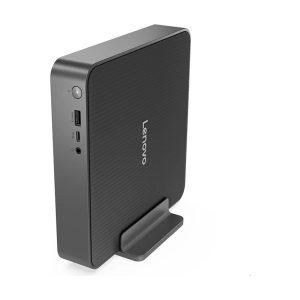
For a home office or a small business, computers are usually the largest technology load you can actually control. A desktop tower with a 24-inch monitor running for eight hours a day uses roughly 26 units a month. A mini PC such as the Lenovo IdeaCentre Mini, or a laptop, doing the same work uses around a third to a half of that. Over a year, switching one desk from a tower to a mini PC or laptop saves well over 100 units.
Power settings matter too. Set screens to turn off after 5 to 10 minutes and computers to sleep after 20 to 30 minutes of inactivity. A computer left on overnight with the screen on can use as many units as during the working day. Our desktop versus laptop guide compares the options in more detail.
UPS units: useful, but not free to run
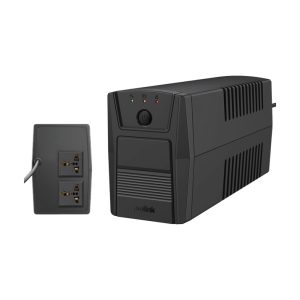
A UPS keeps the router, CCTV recorder or computer running through power cuts, but it also uses a little power itself to keep its battery charged and its circuits ready, typically 5 to 15 watts. That is a few units a month per UPS. It is well worth it for the router and CCTV, where an outage would cut off internet or recording. For a lamp or a TV, it is not. Size the UPS to the load; an oversized UPS wastes more in standby. Our UPS buying guide explains how to choose.
Why the last units cost the most
Domestic electricity in Sri Lanka is charged in blocks. The first units each month are charged at a low rate, and the rate per unit rises as total consumption crosses each block, along with a higher fixed charge. The Public Utilities Commission of Sri Lanka (PUCSL) revised tariffs more than once in 2026, so check the current table on your bill or the PUCSL website rather than relying on old figures.
The practical point is that saving units at the top of your monthly use saves the highest rate. If a household is just above a block boundary, cutting 20 or 30 units of always-on and idle consumption can bring the whole month’s units into a cheaper block. To see what a unit costs you, divide the energy charge on your bill by the units used, then look at the rate for the top block you reached; that top rate is what each saved unit is worth.
Note: PUCSL publishes a bill calculator on its website. Enter your monthly units to see how the charge is worked out under the current tariff.
A practical saving plan
- Measure first: use an energy meter or smart plug on the router, CCTV, computers and TV for a week each.
- Kill standby: put the TV, set-top box, speakers and games console on a switched power strip and turn it off at night.
- Set sleep timers: screens off after 10 minutes, computers to sleep after 30.
- Choose efficient replacements: when a desktop is due for replacement, consider a mini PC or laptop.
- Keep CCTV, but modernise it: replace very old recorders and keep camera housings clean so infrared works efficiently.
- Right-size UPS units: one small UPS for the router and recorder is better than a large one for everything.
Smart plugs and smart home routines make standby savings automatic, switching off groups of devices on a schedule. Our smart home starter guide explains how to set them up. For homes with high bills overall, cooling and water heating still dominate, so look at air conditioner settings and timers too.
Frequently asked questions
How many units does a Wi-Fi router use?
Most home routers draw 8 to 12 watts, which is about 6 to 9 units a month running all the time.
Does CCTV use a lot of electricity?
A typical four-camera wired system uses around 15 to 22 units a month. Wi-Fi cameras use about 3 units each.
Is it worth switching off the router at night?
It saves about 2 to 3 units a month, but stops Wi-Fi cameras and smart devices working. For most homes it is not worth it.
Does a laptop use less power than a desktop?
Yes, typically a third to a half as much for the same office work, including the monitor.
How do I find my cost per unit?
Check the tariff block shown on your bill, or use the PUCSL bill calculator with your monthly units.
This article was originally published on eudora.lk.